Dashboard Overview
After signing in, you land on the workspace dashboard — the operational hub for everything AuthSec manages.
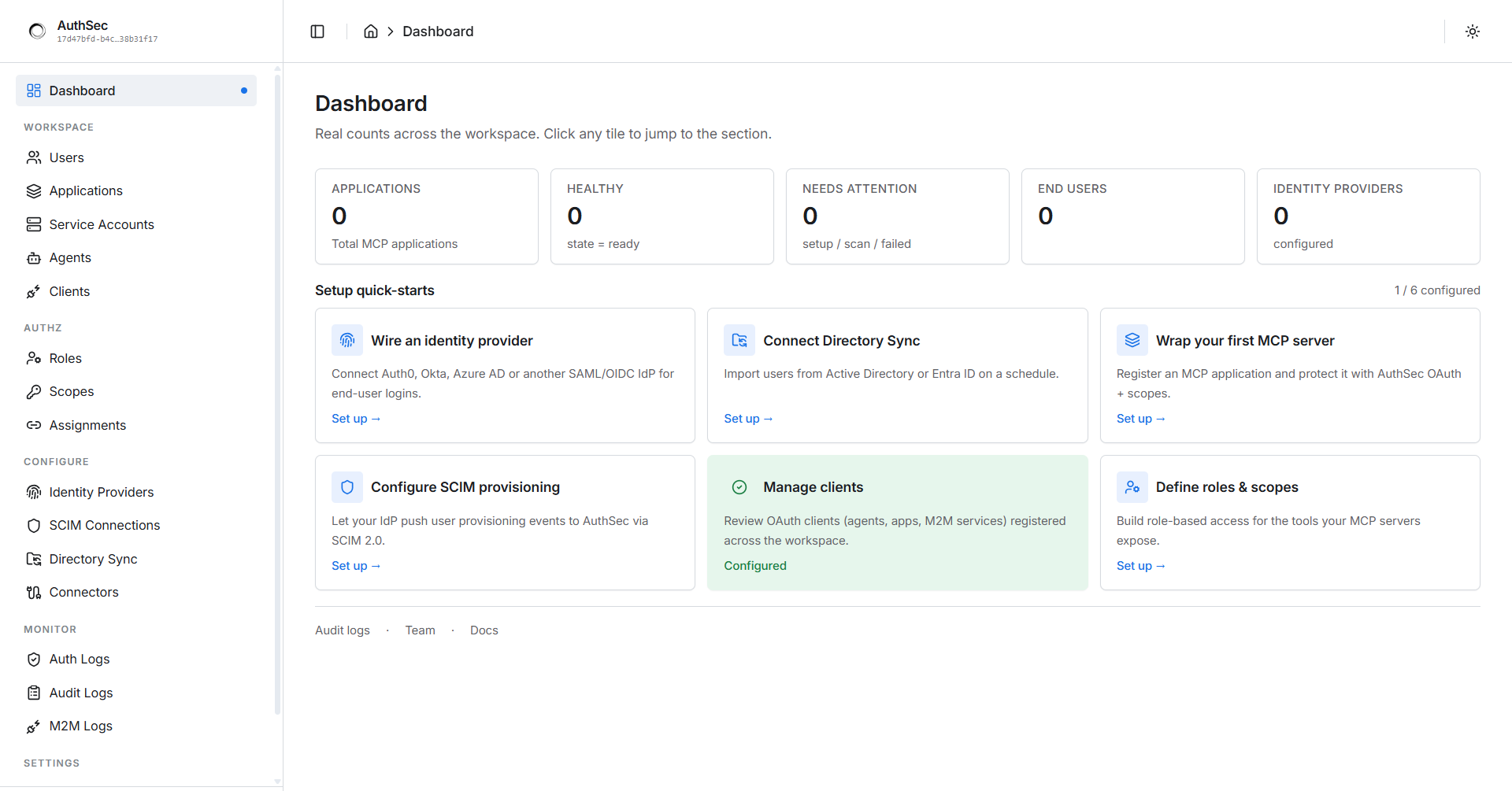
Top-level metrics
The tiles across the top show live counts for your workspace:
| Tile | What it shows |
|---|---|
| Applications | Total protected MCP servers registered |
| Healthy | Applications whose runtime state = ready |
| Needs Attention | Applications in setup / scan / failed state |
| End Users | Users who have authenticated through your applications |
| Identity Providers | Configured OIDC / SAML providers |
Click any tile to jump straight to that section.
Setup quick-starts
Below the metrics, six cards track your onboarding progress:
| Card | What it does |
|---|---|
| Wire an identity provider | Connect Auth0, Okta, Azure AD, or another SAML/OIDC IdP for end-user logins |
| Connect Directory Sync | Import users from Active Directory or Entra ID on a schedule |
| Wrap your first MCP server | Register an Application and protect it with the SDK (guide) |
| Configure SCIM provisioning | Push user provisioning events from your IdP via SCIM 2.0 |
| Manage clients | Review OAuth clients (agents, apps, M2M services) registered across the workspace |
| Define roles & scopes | Build role-based access for the tools your MCP servers expose |
Green-bordered cards are complete; the counter (e.g. "3 / 6 configured") tracks your overall setup progress.
Sidebar navigation
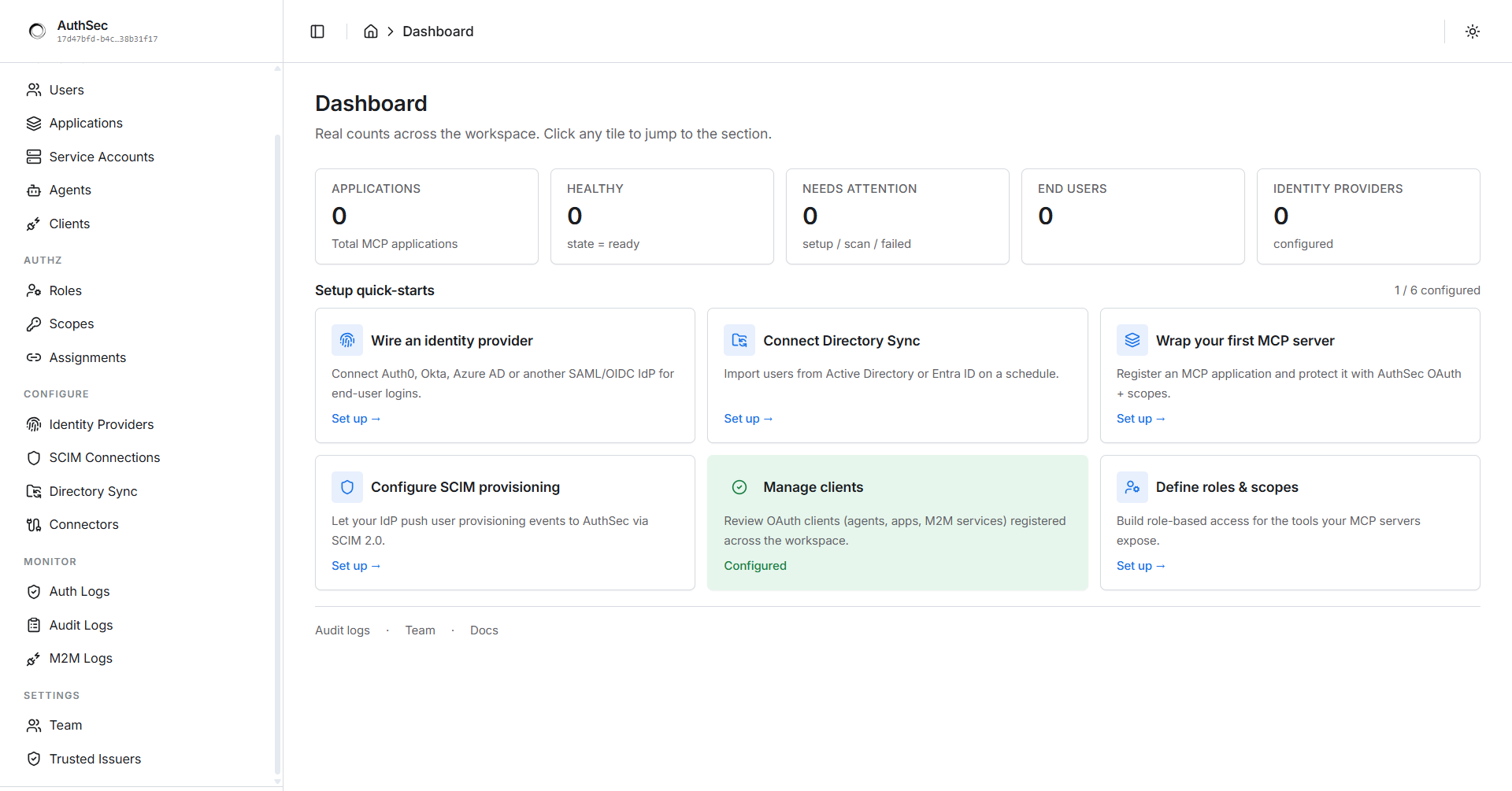
The sidebar organizes everything into five sections:
| Section | Pages | Purpose |
|---|---|---|
| WORKSPACE | Users, Applications, Service Accounts, Agents, Clients | Your protected servers, their end users, and the things that call them |
| AUTHZ | Roles, Scopes, Assignments | Who may do what — role-based access control |
| CONFIGURE | Identity Providers, SCIM Connections, Directory Sync, Connectors | External identity infrastructure |
| MONITOR | Auth Logs, Audit Logs, M2M Logs | Real-time and historical observability |
| SETTINGS | Team, Trusted Issuers | Workspace members and workload identity providers |
(The fresh-workspace view shows all zeroes — your first application will light up these counters.)
Key pages for your first setup
- Applications — register, protect, and launch MCP servers. Each application has tabs: Overview · Setup · Tools · Scopes · Roles · Access · Clients · Connections · Consent Grants · Test · Monitor.
- Service Accounts — machine identities for M2M auth (client secret, private-key JWT, or Kubernetes/SPIFFE). See Connect agents and services.
- Agents — AI agents that act on behalf of users via ID-JAG delegation. See ID-JAG agents.
- Trusted Issuers — register SPIRE trust domains and OIDC federation (e.g. GitHub Actions) for workload identity.