Define scopes
Your MCP server checks the token's scope claim before allowing a tool
call. The Scopes tab is where you define which labels exist for this
application. By the end of this step, your application has a named
permission vocabulary that tools and roles will reference.
- Tool inventory populated (at least one tool visible)
Read What is a scope? first if you've never modeled access for an API — it explains the why. Then come back for the how.
What the Scopes tab shows
Every access label for this application, with its risk level, how many tools it unlocks, which roles use it, and how many users are affected:
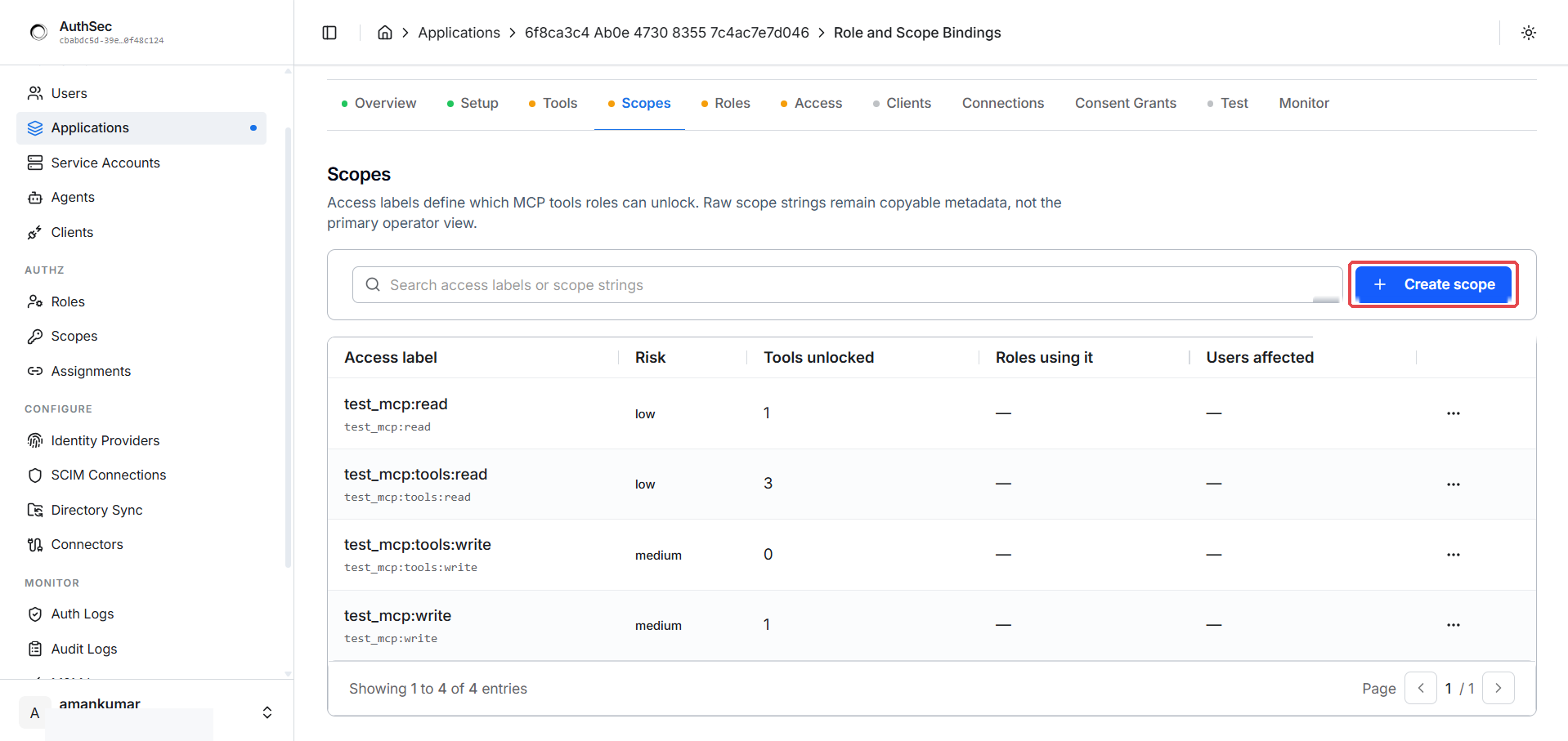
The starter scopes come from the access vocabulary preset you chose at registration. As the page header says: access labels define which MCP tools roles can unlock — the raw scope strings are copyable metadata.
Creating a custom scope
Click + Create scope:
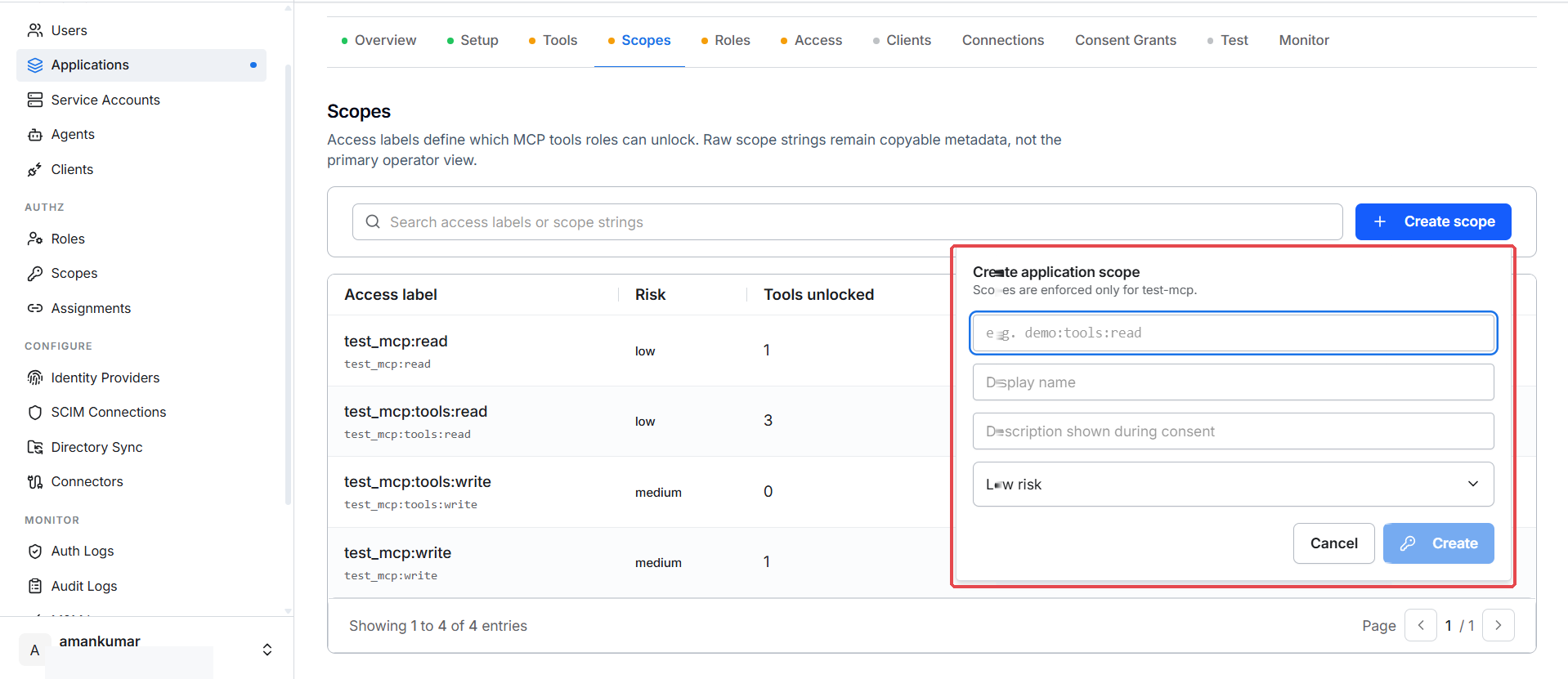
- Scope ID — the string that appears in tokens, e.g.
demo:tools:read - Display name — what users see on the consent screen
- Description — shown during consent
- Risk level — low/medium/high; drives the risk column and review flags
Scope IDs are immutable once created — to "rename" a scope, create a new one and migrate the tool mappings.
Custom scopes start unmapped. To make one functional, map at least one tool to it (next step) and grant it to a role (roles and access).
Naming convention
The seeded pattern is <app>:<resource>:<verb>:
my_mcp:read            broad read on the app
my_mcp:tools:read      call read-only tools
my_mcp:tools:write     call mutating tools
my_mcp:write           broad write
For the design tradeoffs — read/write vs per-tool vs per-operation — see Scope design for MCP tools.
Where scopes act at runtime
- A user (or service) authorizes a client and consents to specific scopes.
- The granted subset is baked into the access token's
scopeclaim. - The SDK validates the claim per tool call. If
echo_writeis mapped tomy_mcp:tools:writeand the caller's token only carriesmy_mcp:tools:read, the SDK returns 403insufficient_scope.
Deleting a scope
The delete button only appears when no tools are mapped to the scope —
unmap them first. Deleting a scope referenced by an active policy emits a
scope_deleted drift event on the Monitor tab.
Auto-suggested scopes
If your manifest carries scope suggestions, they show as "SDK suggested: …"
hints while mapping. Suggestions never override admin choices. Python: set
suggested_scopes on each ManifestTool. Go: ToolScopeSuggestions.
Verify
The Scopes tab lists your access labels with their risk levels and tool/role counts. At least one scope should exist before moving on.
Troubleshooting
| Symptom | Cause | Fix |
|---|---|---|
| Scope not appearing on the consent screen | Scope exists but isn't granted to any role yet | Assign it to a role in Roles and access |
| Can't delete a scope | Tools are still mapped to it | Unmap the tools first from the Tools tab |