Overview and launch
The Overview tab is the gate between "I'm setting this up" and "this is live." Nothing launches until every blocker is resolved.
- All protection checks passing (re-run after role or access changes)
What the Overview tab shows
The operational posture of the application — the action queue (ordered by launch impact and runtime risk), runtime state, tool exposure (mapped / denied / public counts), high-risk tools, and drift:
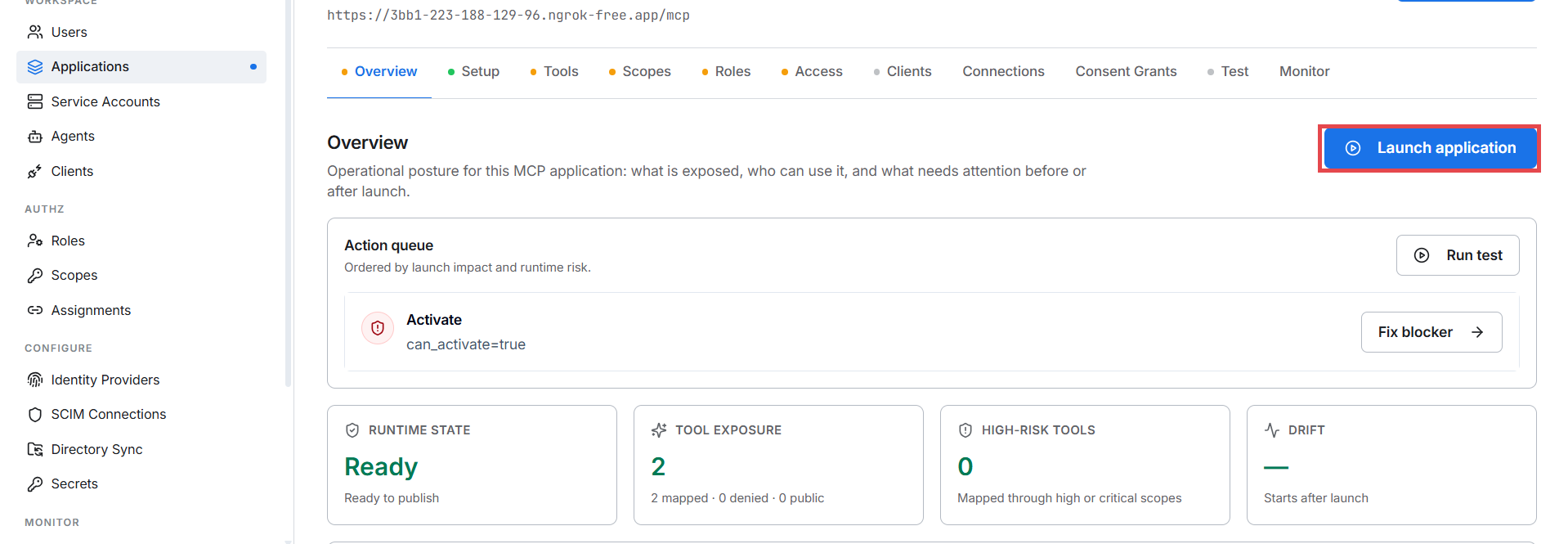
When everything is resolved, runtime state reads Ready and the Launch application button is active.
The checklist behind the button
| Step | Required | What it checks |
|---|---|---|
| Register | always green after registration | Application exists |
| Tool inventory | at least one tool | A successful scan or manifest publish |
| Define scopes | at least one scope | The vocabulary exists |
| Map tools | no unmapped tools | Every tool is mapped or explicitly public |
| Default role | default role enabled | First-time callers get something |
| Protection check | all checks pass | The SDK responds correctly end-to-end |
What Launch actually does
POST /authsec/resource-servers/:id/activate:
- Re-runs the readiness check (fails with 409 if anything regressed since you loaded the page).
- Sets the application state to
readyand stamps who launched it. - Emits an audit event.
- Your SDK picks up the new policy on its next scope-matrix refresh — within ~30 seconds for the Python SDK. No restart needed.
The status chip flips from Not launched to Launched.
After launch — changes propagate live
You do not re-launch when you change scopes, mappings, or roles. State
stays ready; the SDK picks changes up on its next policy refresh (~30 s).
The only thing that requires activation again is going from needs_setup
back to ready after a full rebuild.
What ready changes at runtime
Before launch, the SDK runs fail-closed: with remote_required policy
mode the scope matrix reports incomplete and every tool call is denied.
After launch the SDK sees state = ready and enforces the real policy —
allow what's mapped and granted, deny everything else.
Verify
Three calls prove everything is live. Replace $TOKEN with a real token from M2M auth or ID-JAG:
Unauthenticated → 401:
curl -i -X POST https://your-mcp.example.com/mcp \
  -H "Content-Type: application/json" \
  -d '{"jsonrpc":"2.0","method":"tools/call","id":1,"params":{"name":"add_no","arguments":{"a":1,"b":2}}}'
# → 401 Unauthorized + WWW-Authenticate header
Wrong scope → 403:
curl -X POST https://your-mcp.example.com/mcp \
  -H "Authorization: Bearer $TOKEN" \
  -H "Content-Type: application/json" \
  -d '{"jsonrpc":"2.0","method":"tools/call","id":2,"params":{"name":"a_write_tool","arguments":{}}}'
# → 403 insufficient_scope (if the token only has read scopes)
Right scope → 200:
curl -X POST https://your-mcp.example.com/mcp \
  -H "Authorization: Bearer $TOKEN" \
  -H "Content-Type: application/json" \
  -H "Accept: application/json, text/event-stream" \
  -d '{"jsonrpc":"2.0","method":"tools/call","id":3,"params":{"name":"add_no","arguments":{"a":2,"b":3}}}'
# → 200 with the tool result
Troubleshooting
| Symptom | Cause | Fix |
|---|---|---|
| Launch button greyed out | A checklist step is pending | The action queue names it — fix that step |
| Launch fails with 409 | Setup regressed between page load and click (scope deleted, tool unmapped…) | Reload, check the action queue |
| Launched but server still denies everything | SDK policy cache hasn't refreshed | Wait ~30 s (Python) or restart the server |