Register an application
Time: ~2 minutes. You'll create the Application record in the dashboard and pick its scope vocabulary. By the end, AuthSec knows your server exists and has generated everything the next step needs.
Before you start
- A workspace on https://app.authsec.ai
- The public URL where your MCP server is (or will be) reachable
Step 1 — Create the application
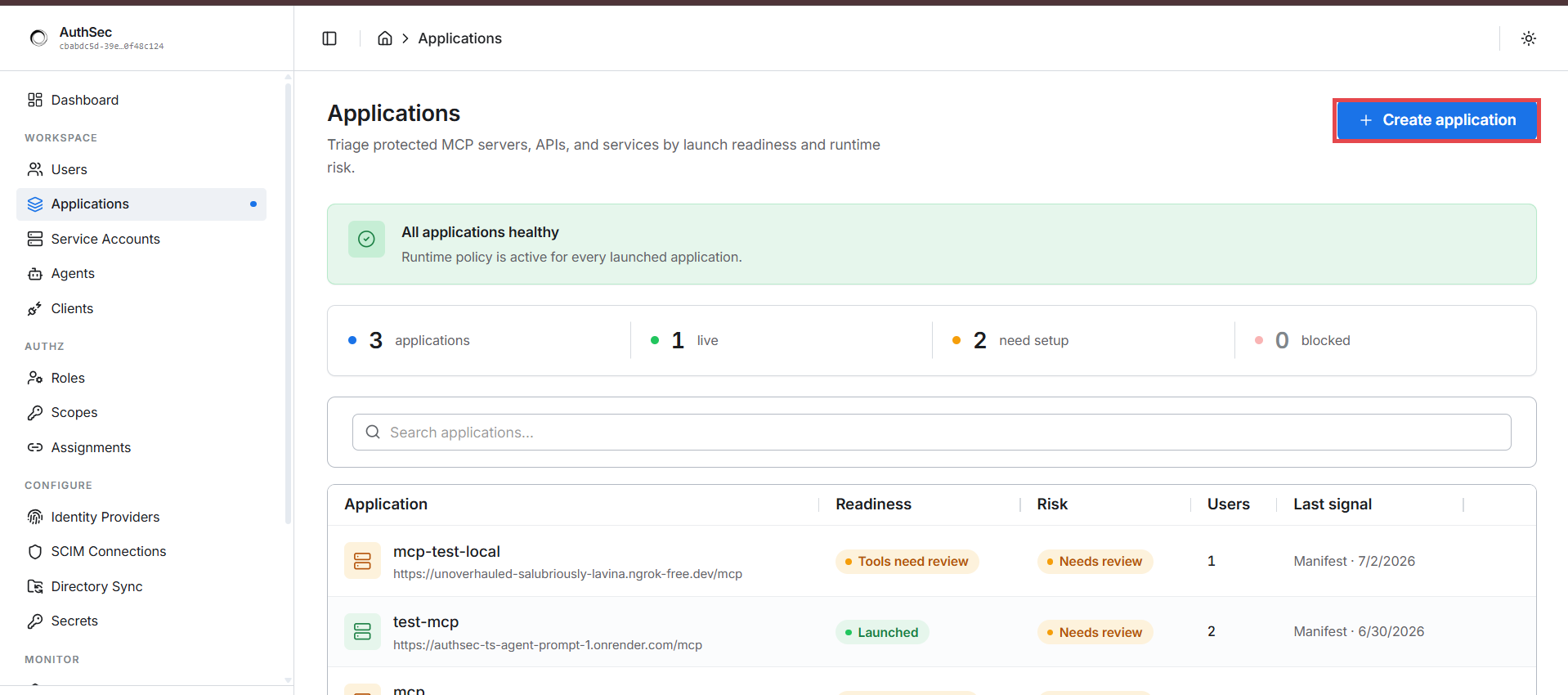
Go to WORKSPACE → Applications in the left nav. This page lists every protected server in your workspace with its readiness and risk state. Click + Create application:
Fill in the three fields:
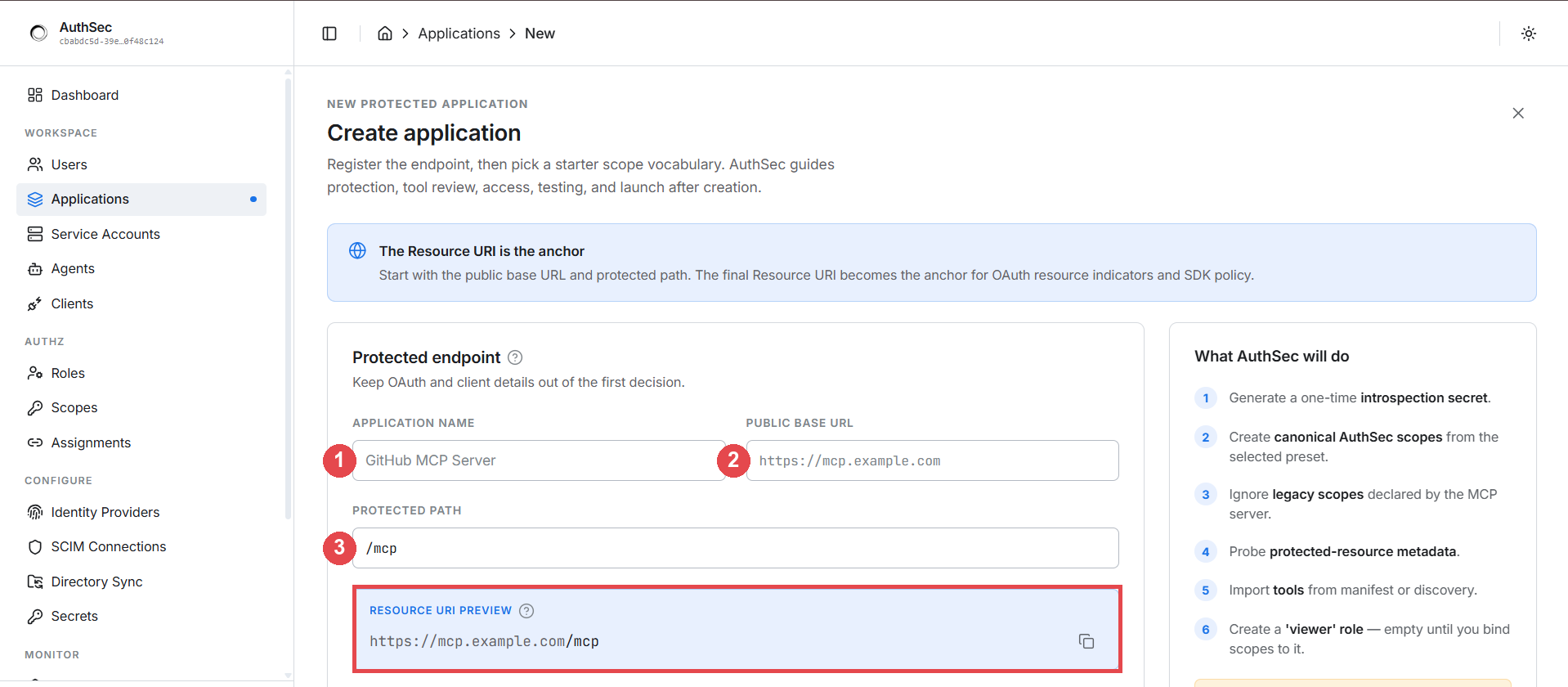
- Application name — anything you'll recognise later: "GitHub MCP", "Internal Reporting API". Cosmetic; it doesn't affect runtime behaviour.
- Public base URL — the externally-reachable origin of your
application, e.g.
https://mcp.acme.example. - Protected path — the URL prefix AuthSec guards. For MCP servers this
is almost always
/mcp.
The Resource URI preview shows the combination — this URI is the anchor
for everything. It must exactly match the URL agents call (scheme, host,
path), because tokens are bound to it. A mismatch means every token is
rejected with invalid_audience.
Step 2 — Pick the access vocabulary
Scroll down. The Access vocabulary presets generate the scope strings your server will use — from read-only to domain-specific shapes (database, RAG, code & repos):
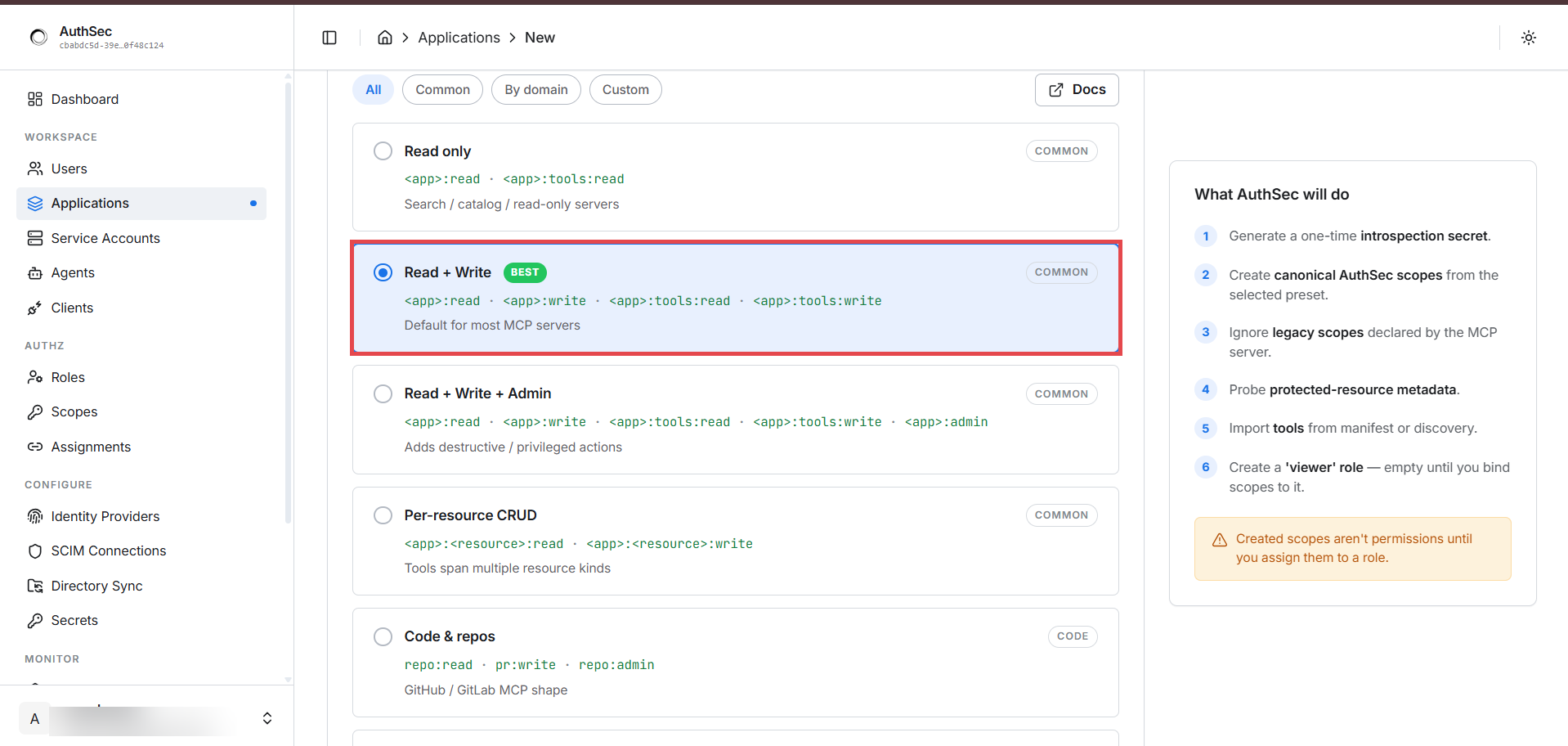
For most MCP servers pick Read + Write (marked BEST). With an app
namespace of my_mcp it generates four scopes:
my_mcp:read my_mcp:write my_mcp:tools:read my_mcp:tools:write
⚠️ As the sidebar warns: "Created scopes aren't permissions until you assign them to a role." Creating the vocabulary defines the words; roles and access makes them mean something.
Click Create and protect:
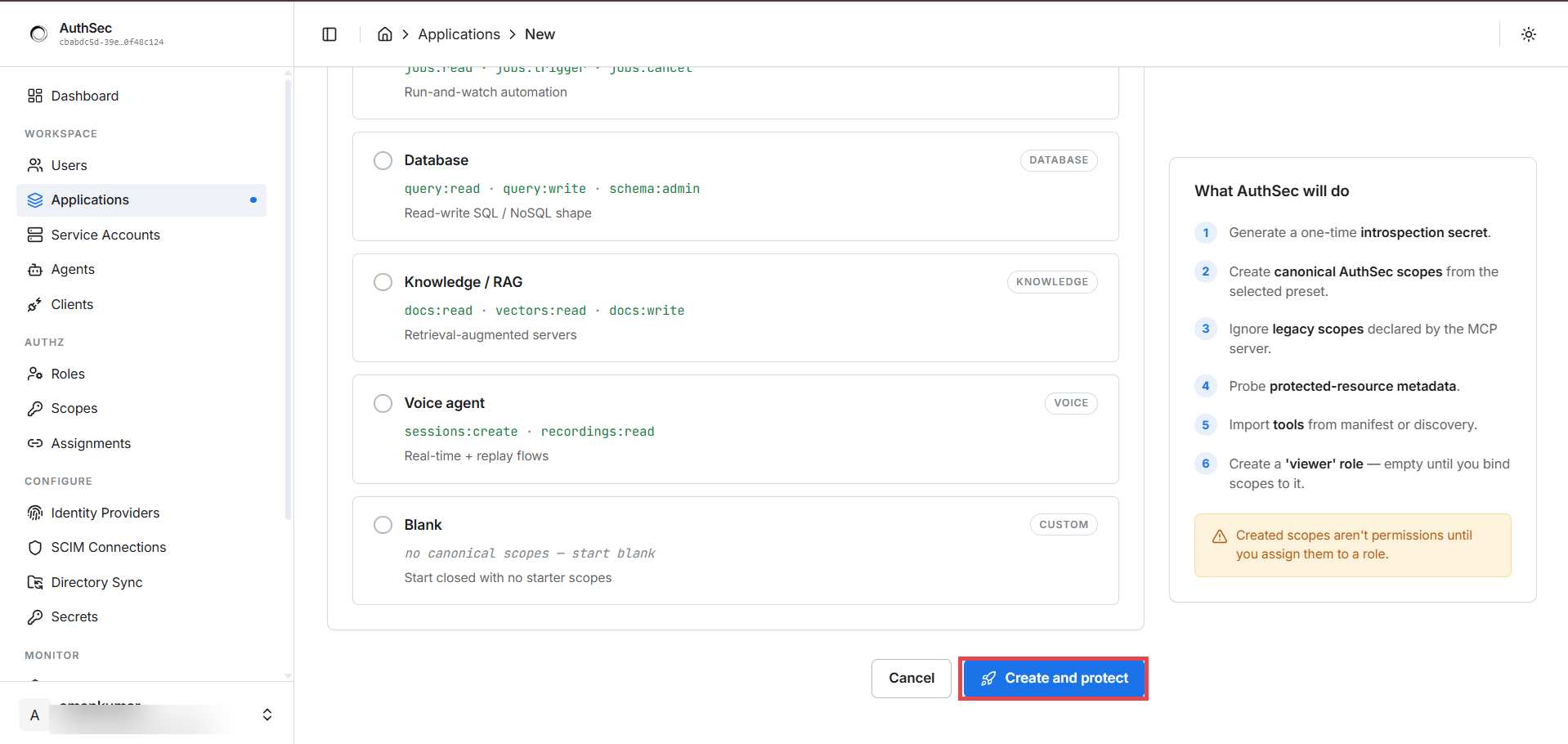
You land on the application's detail page with the Setup tab open — AuthSec has generated the introspection credentials and environment values your server needs. That wiring is the next step.
Why these three fields matter
- Application name — cosmetic; shows up in audit logs.
- Public base URL — the origin token validators check. AuthSec mints
tokens whose
audclaim is composed from this URL + protected path. Mismatch →invalid_audienceon every request (debug checklist). - Protected path — everything under it requires a valid bearer token; everything else is untouched.
Verify
The application appears in the Applications list with a Not launched badge and a readiness state showing which steps are pending.
Troubleshooting
| Symptom | Cause | Fix |
|---|---|---|
invalid_audience on every request after launch | Resource URI doesn't exactly match the URL agents call (scheme, host, path) | Make the three values identical: registered URL, AUTHSEC_RESOURCE_URI, and the actual deployment URL |
| Can't find the introspection secret | It's shown once at creation | Rotate it from the application's Setup tab |
When you need the API
Scripting registration in CI? See the API reference for the endpoint, response schema, and state machine. You almost never need it — the dashboard and SDK cover the whole flow.