Access policy and default role
Scopes gate tools; roles bundle scopes; the Access tab decides who gets which role — including what a brand-new caller receives on first login. This is the step that turns your vocabulary into actual permissions.
Roles — the containers
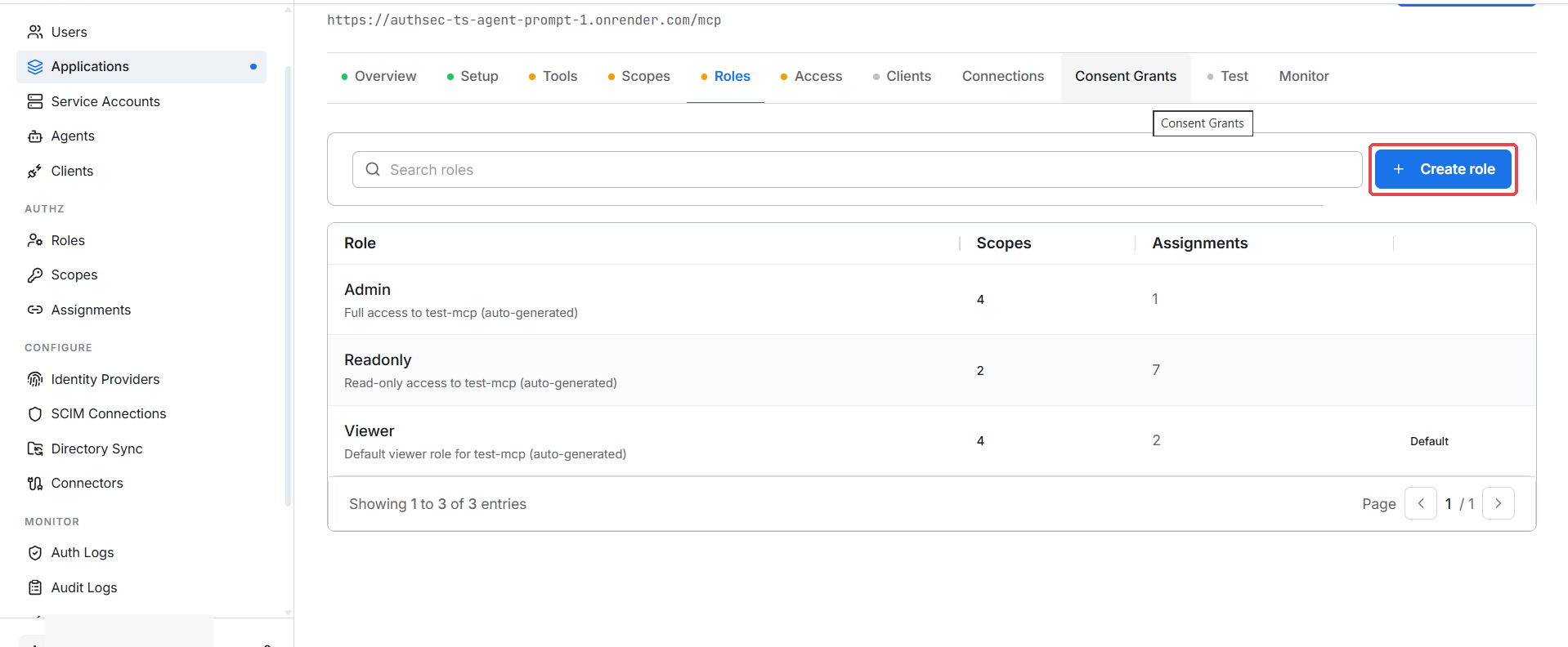
The Roles tab shows this application's roles — the auto-generated ones (Admin, Readonly, Viewer) plus any custom roles:
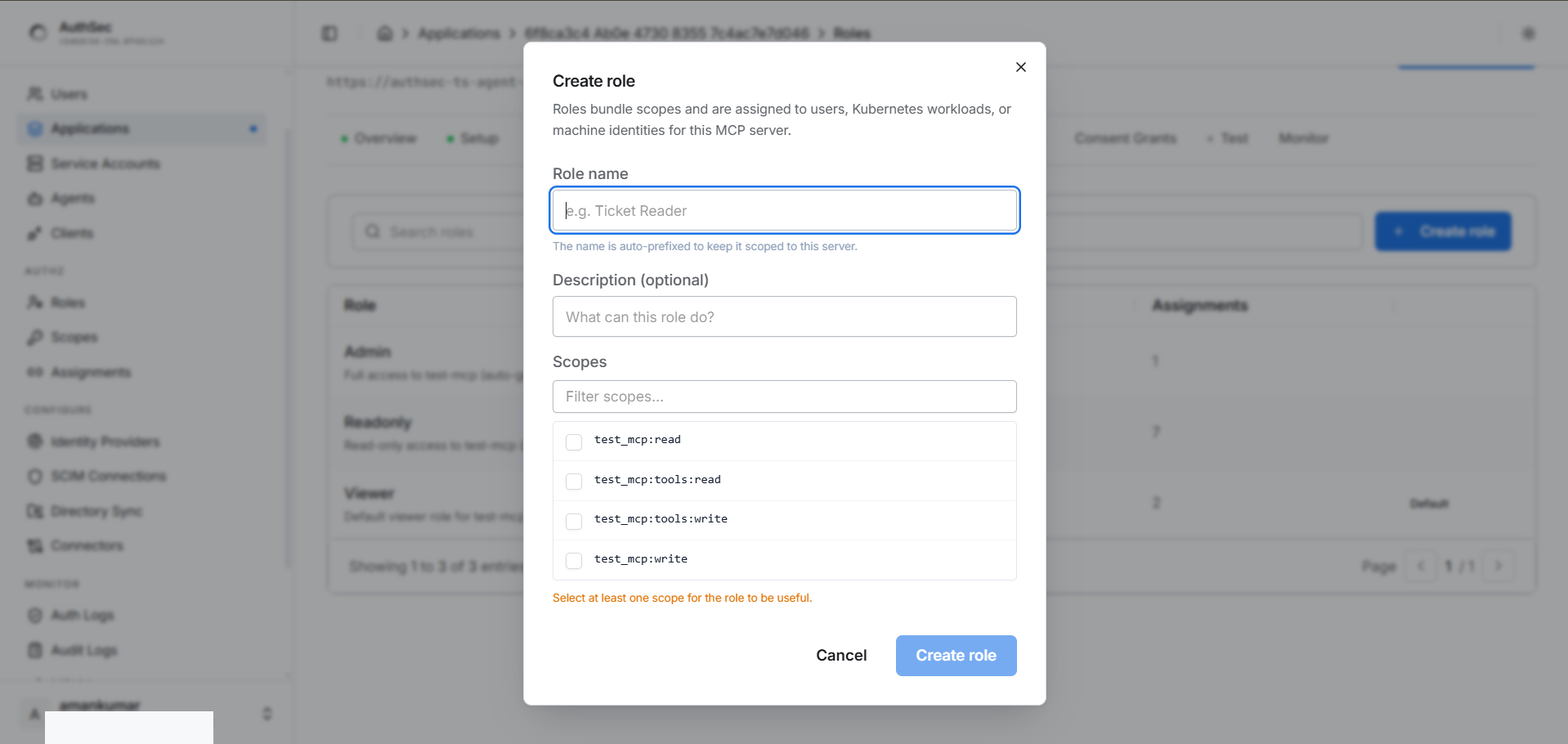
Need a custom bundle? + Create role — name it, tick the scopes it carries:
The Access tab — three panels
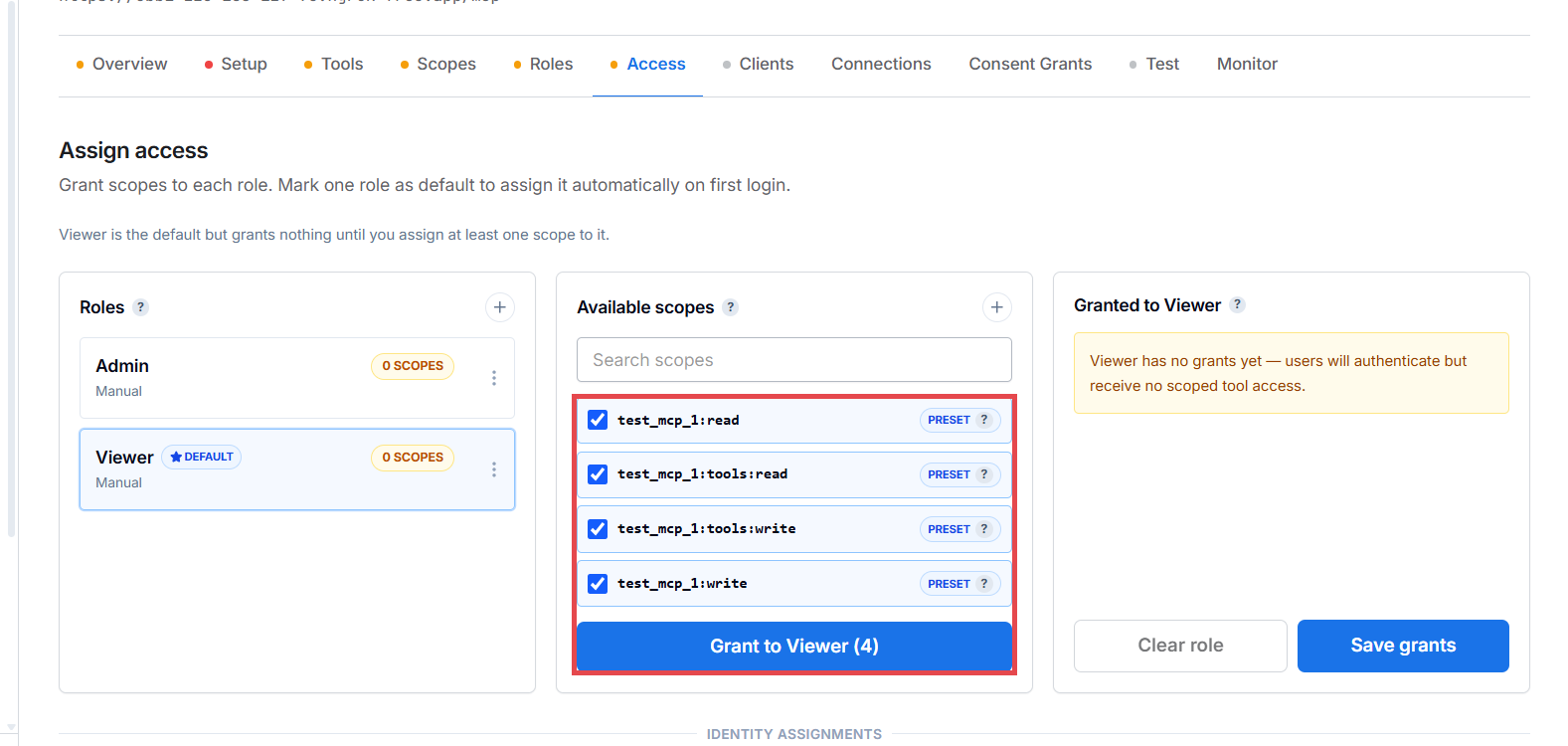
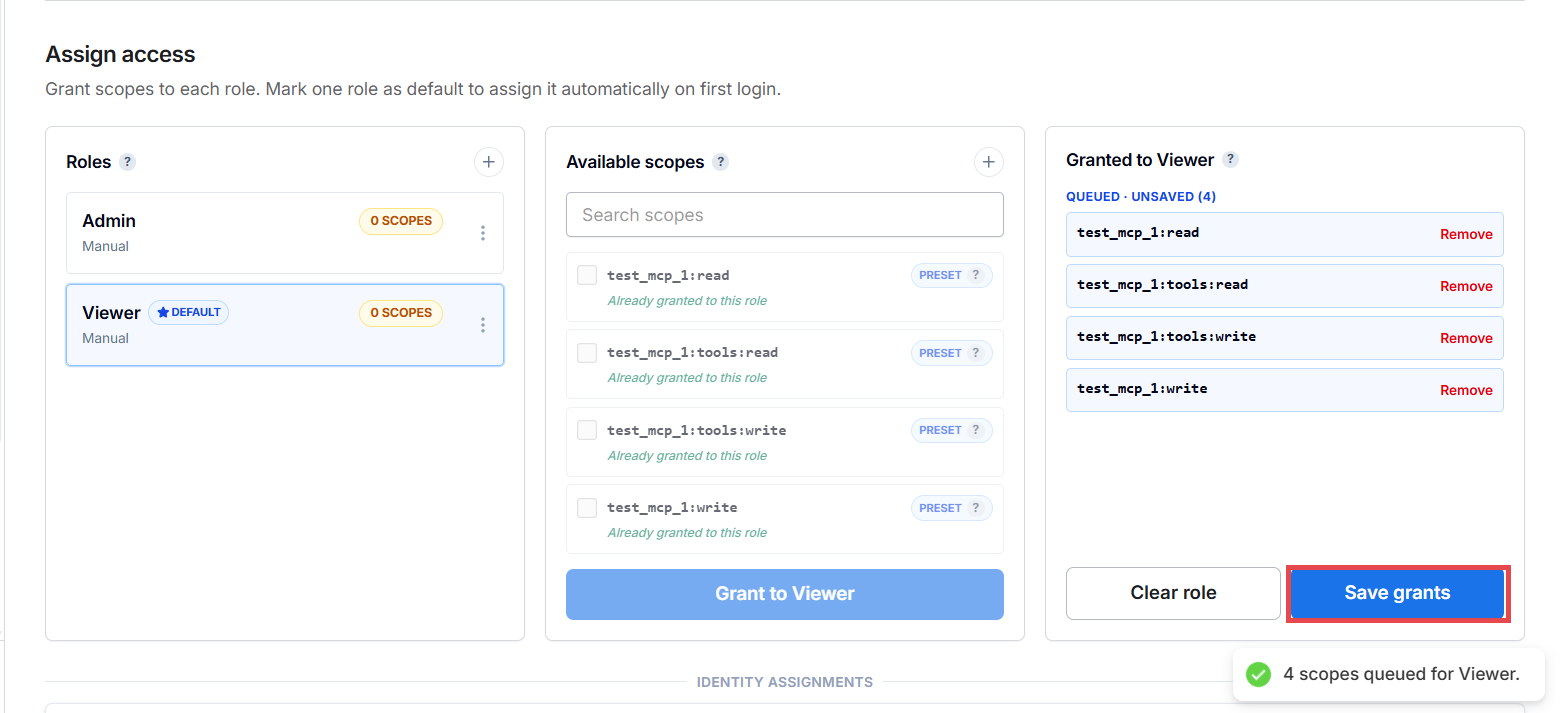
Assign access is a three-panel screen: Roles (left), Available scopes (middle), Granted to <role> (right):
1. Make a role the default
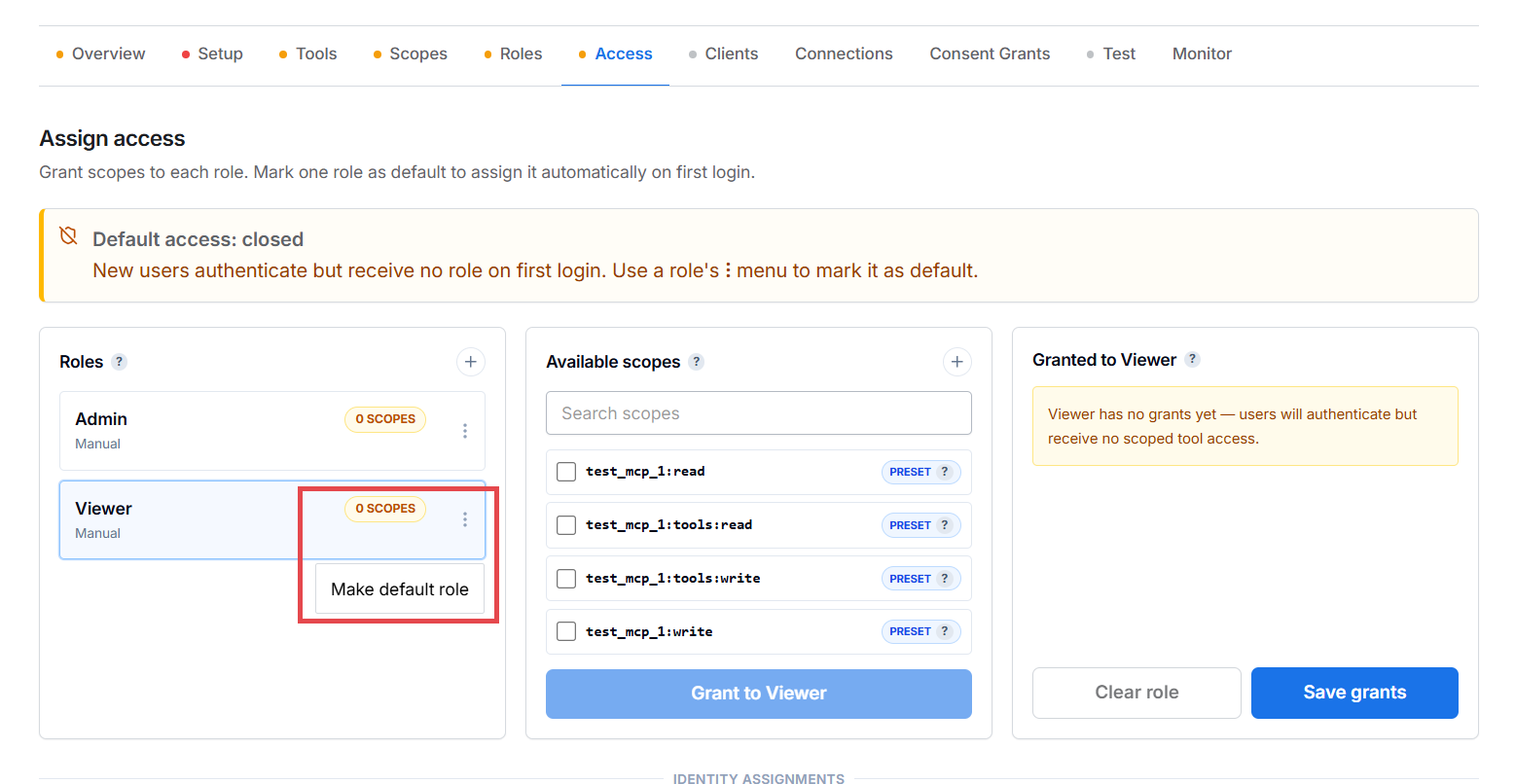
A fresh application has Default access: closed — new users authenticate but receive no role, so every tool call is denied. Open the role's ⋮ menu → Make default role:
The role now shows a DEFAULT badge — new callers receive it automatically on first successful login. This is also what fixes the Default access policy check in Run protection check.
2. Grant scopes to the role
A default role with no scopes grants nothing. Tick the scopes it should carry and click Grant to Viewer:
3. Save
The right panel shows the queued grants (QUEUED · UNSAVED) — nothing is
live until you click Save grants:
Who has access
Below the panels, the Who has access list shows every identity bound to this application — users, agents, machine identities — each with its role and effective scopes. The Add access dropdown adds machine identities (service accounts, Kubernetes workloads) or manual user assignments. Each row is revocable independently via its ⋮ menu.
How it plays out at runtime
- User logs in for the first time → access policy grants the default role.
- User authorizes an OAuth client and consents to specific scopes.
- The issued token's
scopeclaim is the intersection of what the role grants and what the user consented to. - The SDK validates the token and allows tools mapped to those scopes.
The role gates what a caller can request; consent gates what they actually got.
Manual exceptions
Need one user to have more (or less) than the default? Add a manual assignment via Add access → User. Manual bindings persist even if the default policy changes later; policy-created bindings are re-created on each first login while the policy is enabled.
Deleting a binding hard-removes it — but if the default policy is still enabled, a user who logs in again gets re-bound. To truly exclude someone, disable the policy or bind them to a no-scope role.
What's not here yet (roadmap)
- Per-scenario simulation — "if user X uses client Y to call tool Z, what happens?"
- Bulk import for manual exceptions
- Time-bound exceptions — grants don't expire today
Verify
Re-run the protection check — the Default access policy line now passes. All eight checks green means launch is unlocked.
Troubleshooting
| Symptom | Cause | Fix |
|---|---|---|
| Protection check "Default access policy" still fails | The role is set as default but has zero scopes granted | Grant at least one scope to the default role and Save grants |
| User authenticates but can't call any tool | The default role's scopes don't cover the tool's access label | Check the role's granted scopes vs. the tool's required label on the Tools tab |
| Locked yourself out after changing the default role | Your manual override was removed or the new default role lacks your scopes | Add a manual assignment via Add access → User with a broader role |