Microsoft
Signs users in with Microsoft Entra ID (formerly Azure AD). This is the usual choice for organisations already on Microsoft 365.
Microsoft is the only template with an extra required field — the tenant ID or domain.
You need: permission to create an app registration in Entra (Application Developer or higher).
In AuthSec
Identity Providers → + Add provider → OIDC / OAuth 2.0 → Microsoft. Copy the Callback URL.
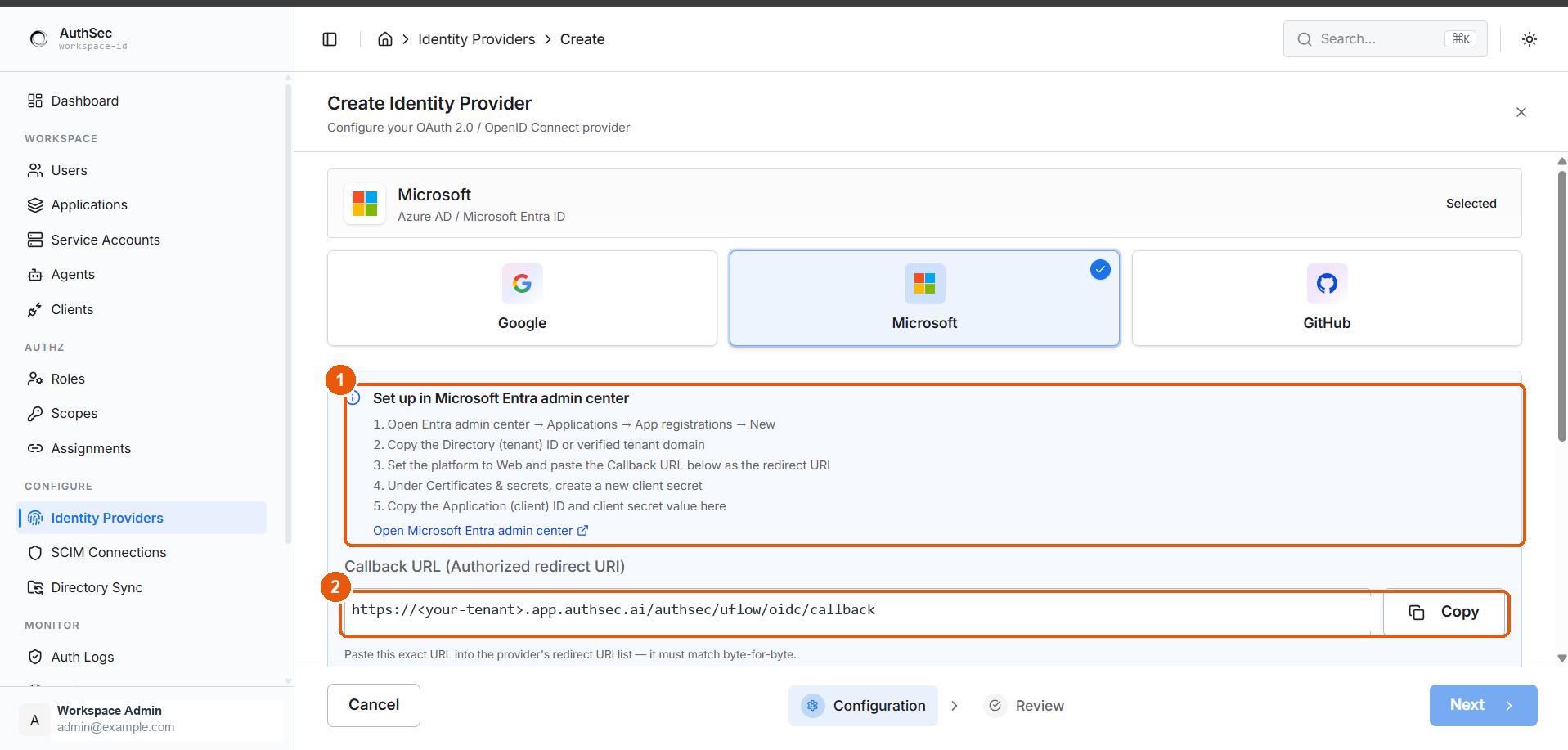
① Entra setup steps, with a link to the admin center · ② the Callback URL to copy
In the Entra admin center
- Applications → App registrations → New registration
- Give it a name — this is internal, users never see it
- Under Redirect URI, set the platform to Web and paste the Callback URL
- Register
- From the Overview page, copy the Application (client) ID and the Directory (tenant) ID
- Certificates & secrets → New client secret, then copy the secret Value
Entra shows two columns after you create a secret. The Value is the credential; the Secret ID is just a reference. The Value is displayed once — navigate away and you must create a new secret. Pasting the Secret ID produces invalid_client at sign-in.
Fields in AuthSec
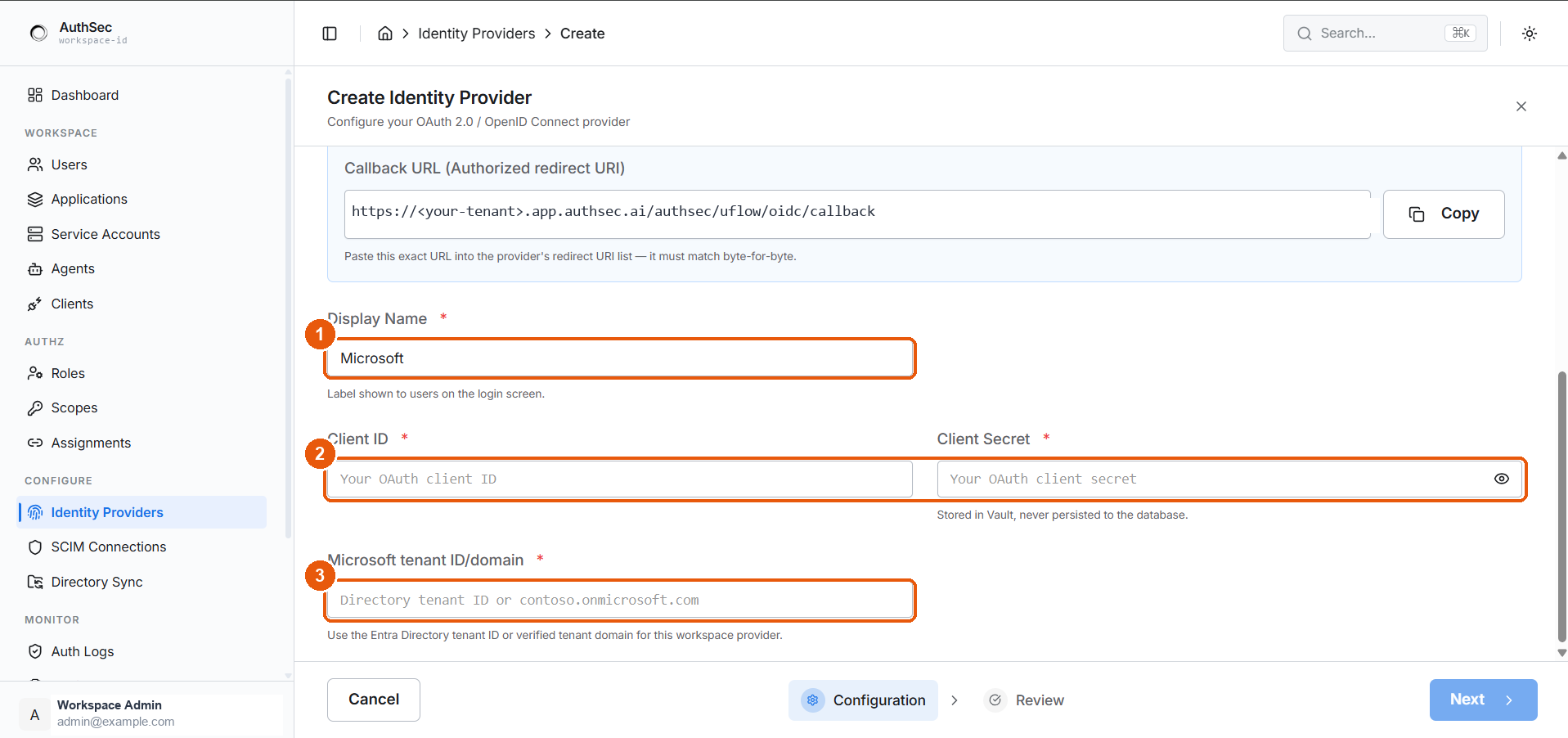
① Display Name · ② Client ID and Secret · ③ Microsoft tenant ID/domain
| Field | Value |
|---|---|
| Display Name | What the login button says — "Microsoft" |
| Client ID | Application (client) ID — a GUID |
| Client Secret | The secret Value |
| Microsoft tenant ID/domain | Directory (tenant) ID, or a verified domain like contoso.onmicrosoft.com |
Which tenant value to use
| You want | Enter |
|---|---|
| Only your own organisation | Your Directory (tenant) ID, or verified domain |
| Any Entra organisation | organizations |
| Entra plus personal Microsoft accounts | common |
Naming a specific tenant is the stricter, safer setting — accounts outside it cannot sign in at all. The account types you allowed during registration must also permit whatever you put here.
Gotchas
- Client secrets expire. Entra defaults to 6 or 24 months. Sign-in breaks on the day it lapses, with no warning from AuthSec — put the expiry date in a calendar.
- Admin consent. If your tenant requires admin approval for new apps, an administrator must grant consent once before anyone can sign in.
- Tenant restrictions are enforced by Microsoft, not AuthSec. A user outside the named tenant fails at Microsoft's screen, before AuthSec sees anything.