Service accounts: client secret
~5 minutes. The simplest machine credential: ID plus shared secret. Right for quick starts and simple deployments. If the caller runs in Kubernetes or your security posture forbids shared secrets, start at the comparison instead.
For the complete runnable program and API details, see Client secret (Python SDK).
How it works
Step 1 -- Create the service account
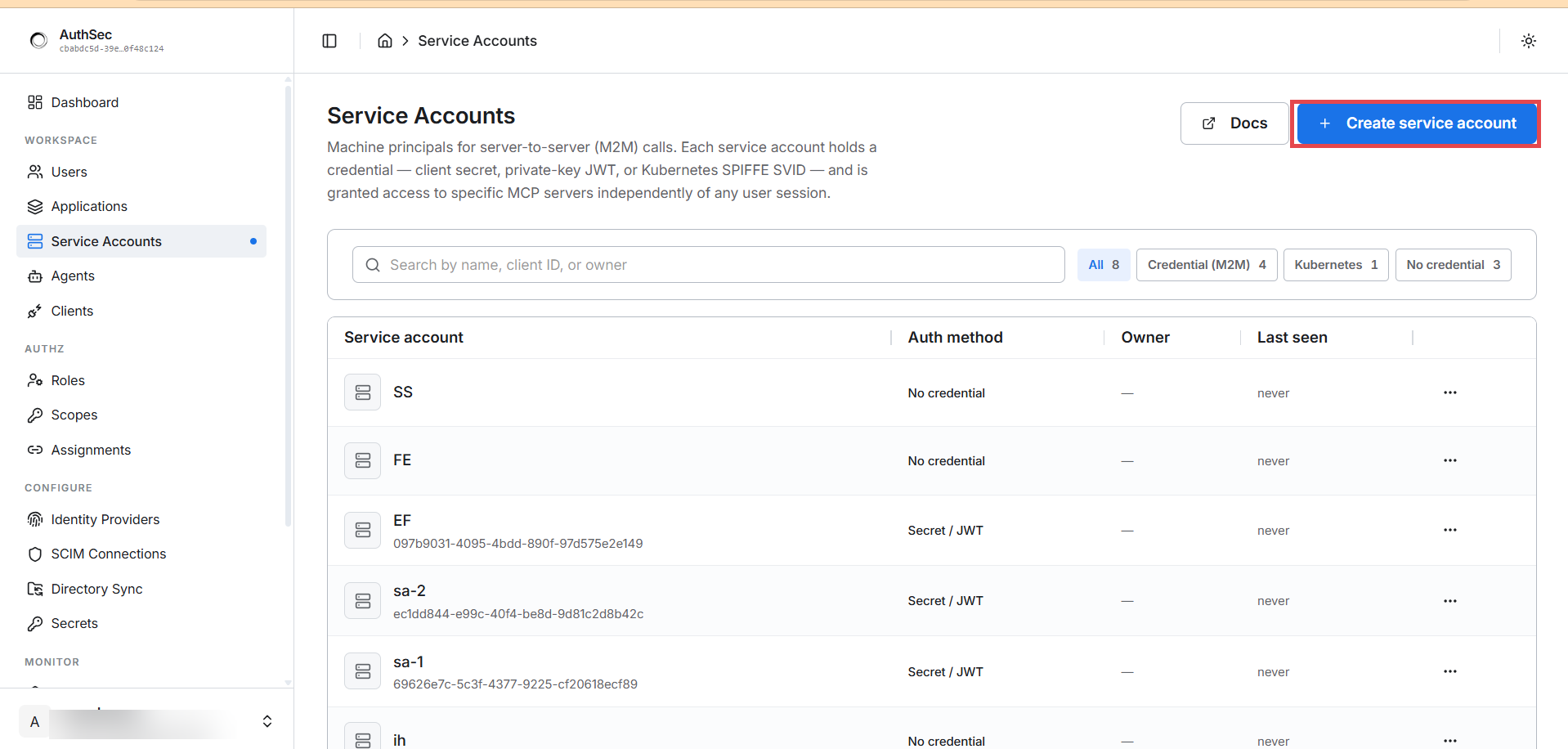
Open WORKSPACE -> Service Accounts in the sidebar. Each service account is a machine principal with one credential, granted access to MCP servers independently of any user session. Click + Create service account:
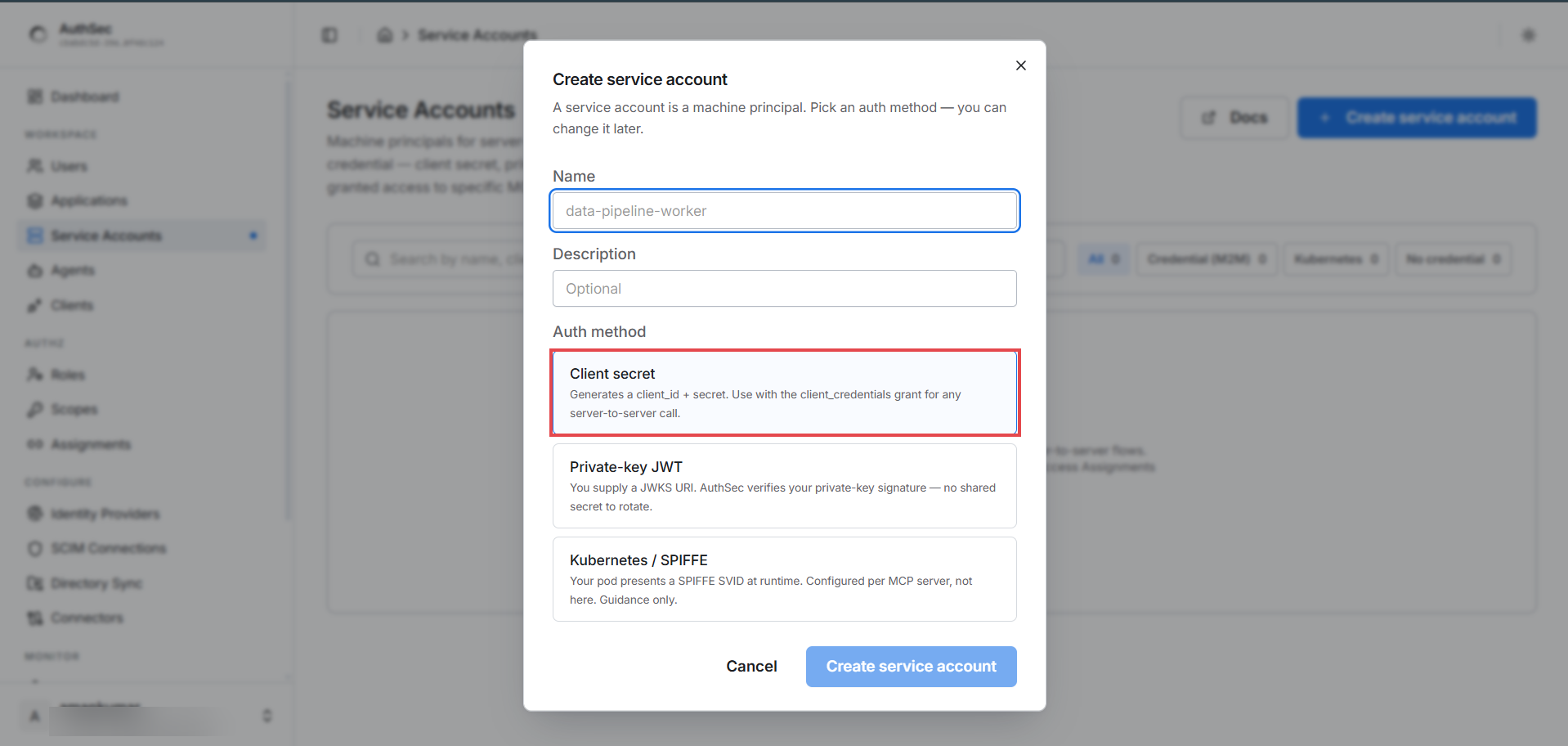
Name it after the workload (reporting-pipeline, ci-deployer), keep
Client secret selected (the default), and click Create service
account:
Step 2 -- Save the credentials (shown once)
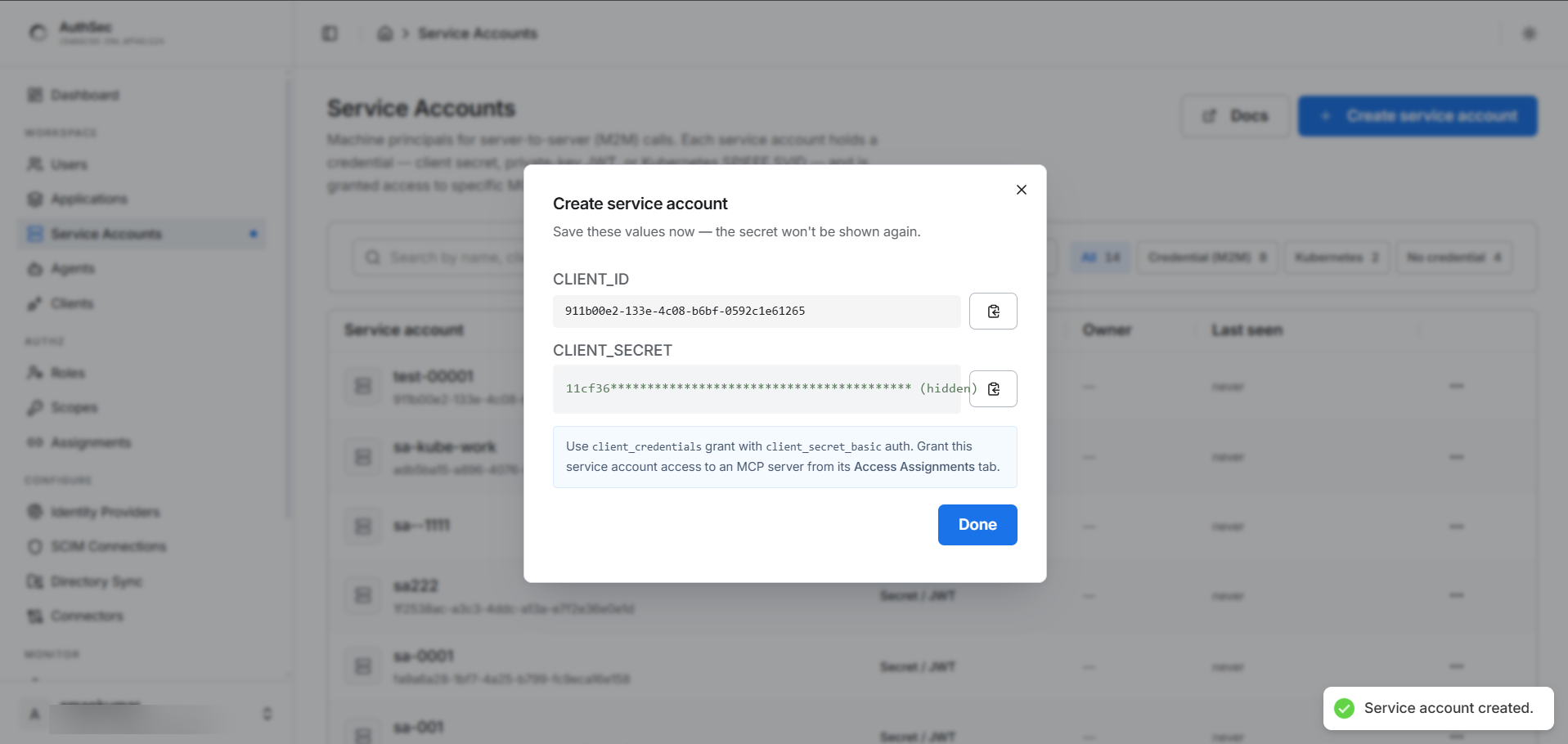
Copy both values into the caller's environment -- the secret is not shown again. Copy-paste the 64-hex-character secret; never retype it.
AUTHSEC_ISSUER=https://app.authsec.ai
SA_CLIENT_ID=<client id from the dialog>
SA_CLIENT_SECRET=<the secret you copied>
MCP_URL=https://your-mcp-server.example.com/mcp
Step 3 -- Grant access (identity does not equal permission)
Creating the account gives it an identity, not permissions. Without a
role, every token request fails with
access_denied: client not authorized for this resource server.
Open your application -> Access tab -> Add access ->
Machine credential (secret/key) -> pick this service account and the
role it should hold (e.g. Readonly). The account appears in Who has
access with its role and effective scopes.
Step 4 -- Get a token and call the server
Trade the credential for a short-lived, scoped access token:
from authsec_sdk import AgentIdentity, ClientSecretAuth

agent = AgentIdentity(ISSUER, SA_CLIENT_ID, auth=ClientSecretAuth(SA_CLIENT_SECRET))
async with agent:
    token = await agent.access_for(MCP_URL, requested_scopes=["my_mcp:read"])
# → Authorization: Bearer {token} on MCP requests
Full runnable program and details: Python SDK -- client secret.
Verify
- Application -> Connections tab shows the account as an active
(m2m)connection with its role and scopes. - MONITOR -> M2M Logs shows each token grant as it happens.
- A
tools/listcall with the token returns only the tools the granted scopes allow.
Revoking
Application -> Access tab -> Who has access -> the account's ... menu -> Revoke access. This removes access to this application only; other grants are untouched.
Troubleshooting
| Error | Cause | Fix |
|---|---|---|
invalid_client: invalid client secret | Typo'd or rotated secret | Copy-paste from the dashboard, never retype |
access_denied: client not authorized for this resource server | Credential is valid but no grant exists | Step 3 -- assign a role on the target application |
Next
A shared secret is the floor, not the ceiling:
-> Upgrade to Private-key JWT -- no secret ever crosses the wire.