AI agents: ID-JAG delegation
~20 minutes. A copilot or chatbot acts for a person -- when Alice asks her assistant to check her tickets, the MCP server applies Alice's permissions and the audit log says "Alice, via agent X". ID-JAG (Identity Assertion JWT Authorization Grant, also called XAA) makes that the only thing the agent can do.
For the complete runnable program and API details, see ID-JAG delegation (Python SDK).
How it works
Why not just give the agent a service account?
| Approach | Problem |
|---|---|
| A powerful service account | Every user gets the same over-broad access; the audit log says "the bot did it" |
| Handing the user's token to the agent | The agent can do everything the user can, everywhere, invisibly |
| ID-JAG | Scoped, short-lived tokens that carry both identities -- either side can revoke |
The delegated token says exactly what happened:
{
  "sub": "alice@example.com",         // whose authority
  "act": { "client_id": "agent-x" },  // who is acting
  "scope": "my_mcp:read ...",         // only what was requested & approved
  "aud": "https://your-mcp/mcp"       // only this server
}
Step 1 -- Register the agent
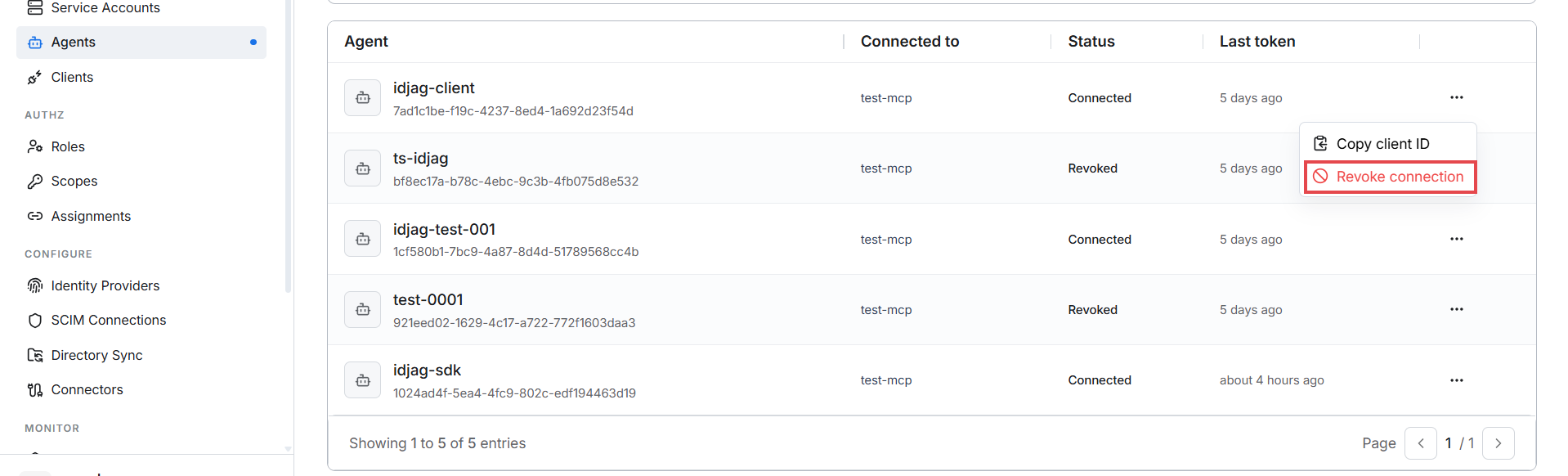
Sidebar -> WORKSPACE -> Agents -- every AI agent in the workspace, with the server it connects to, its status, and when it last got a token. Click + Register agent:
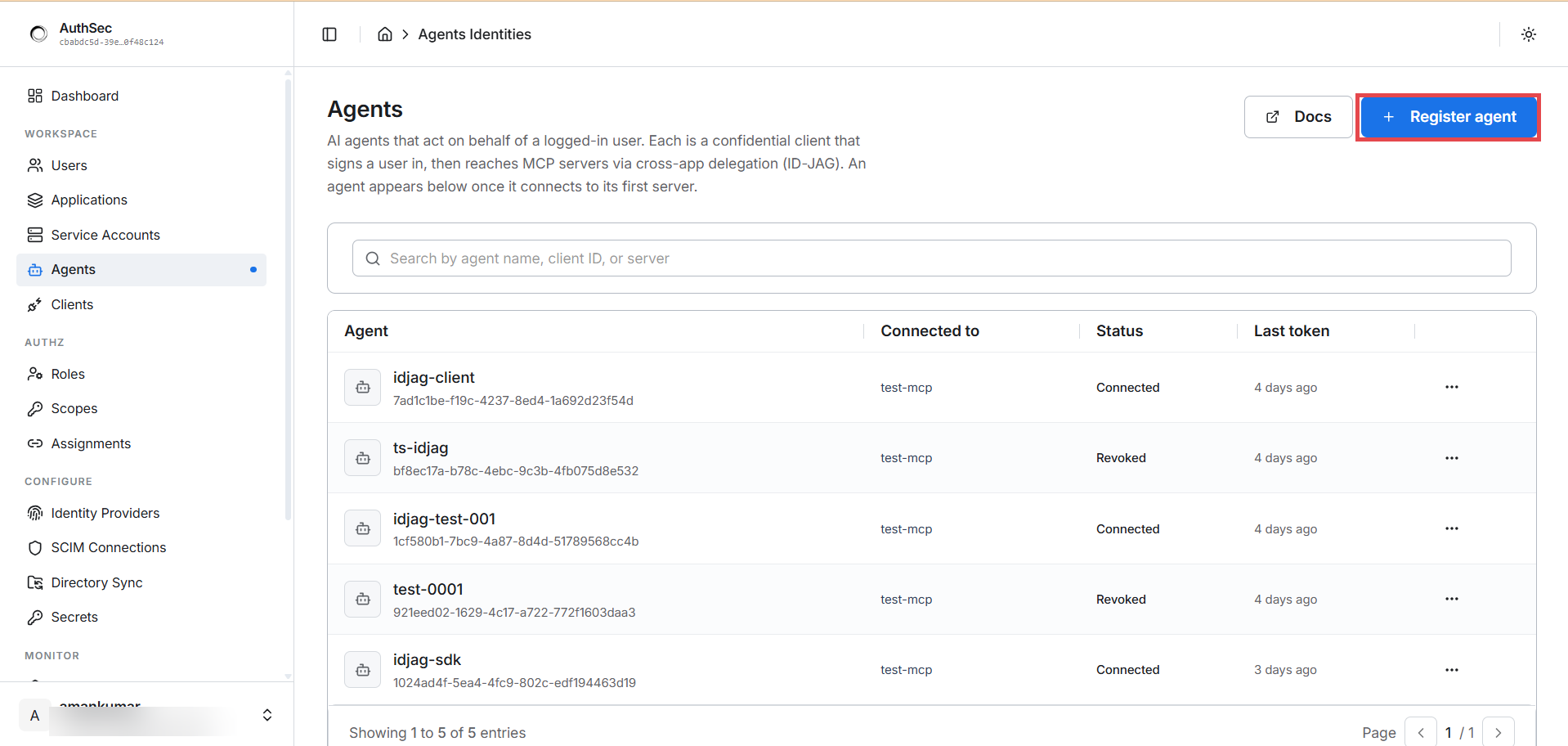
Two fields:
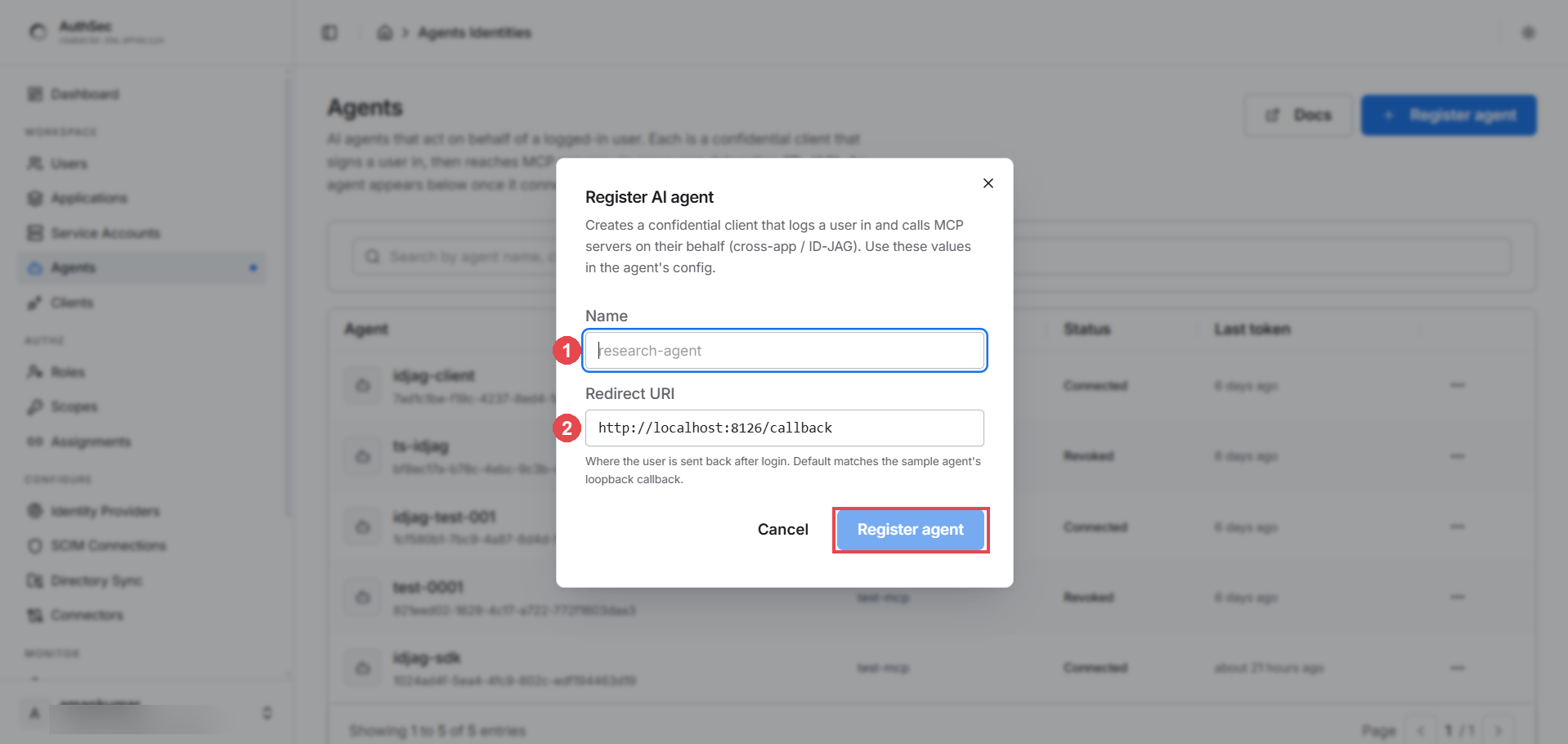
- Name -- a human label, e.g.
research-agent - Redirect URI -- where the user's browser lands after login. For the
SDK's
browser_login(), keep the loopback default (http://localhost:8126/callback); a web app uses its own OAuth callback URL.
Step 2 -- Copy the credentials (shown once)
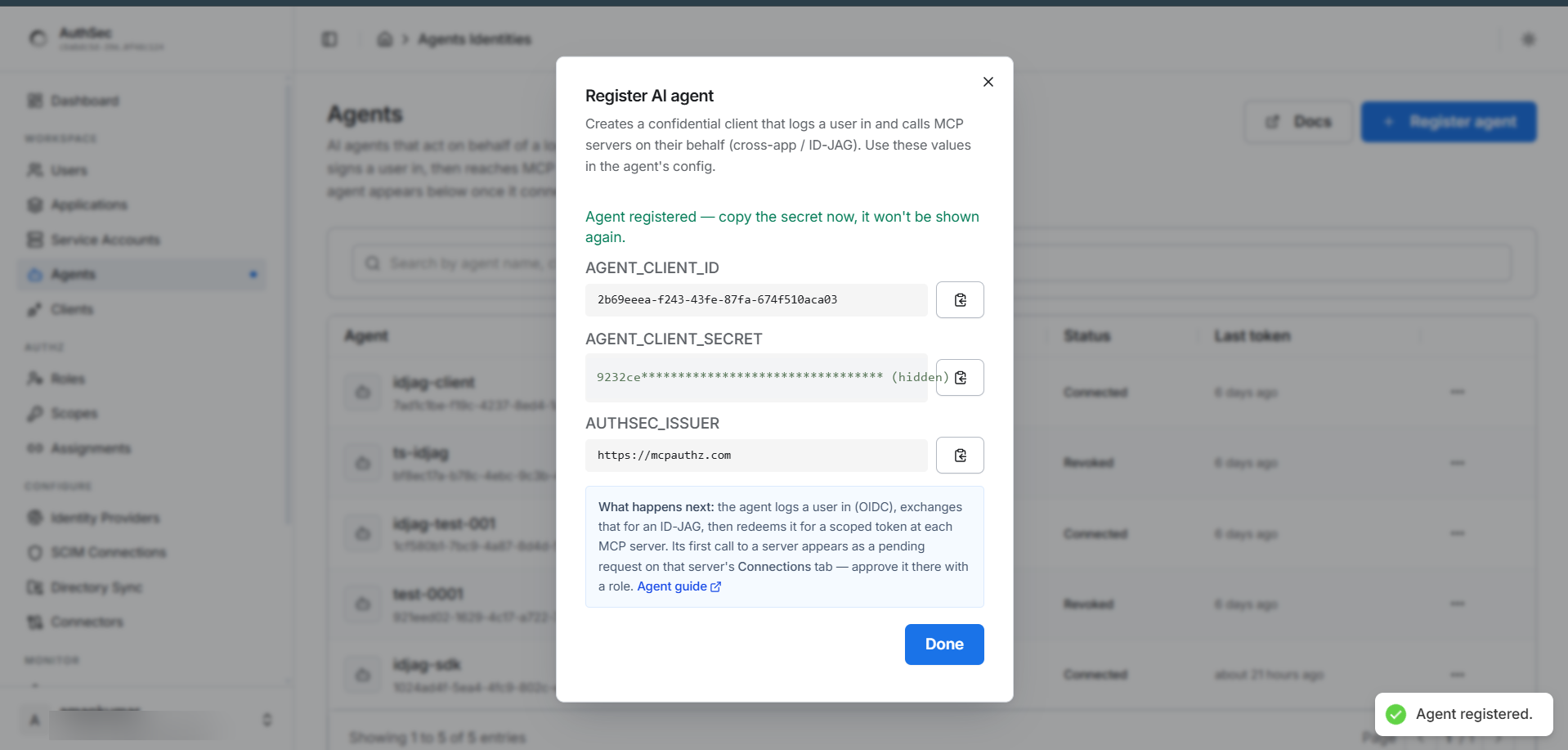
Put them in the agent's environment -- the secret is not shown again:
AUTHSEC_ISSUER=https://app.authsec.ai
AGENT_CLIENT_ID=<client id>
AGENT_CLIENT_SECRET=<the secret you copied>
MCP_URL=https://your-mcp-server.example.com/mcp
Step 3 -- Wire the agent
One call does the whole dance -- browser login, token exchange, delegated
token. The first run raises PendingApprovalError; wrap it with
poll_until_approved so the agent waits for the admin:
from authsec_sdk import (
    AgentIdentity, browser_login,
    PendingApprovalError, ApprovalDeniedError, poll_until_approved,
)

id_token = await browser_login(issuer=ISSUER, client_id=CLIENT_ID, resource=MCP_URL)

agent = AgentIdentity(issuer=ISSUER, client_id=CLIENT_ID,
                      client_secret=SECRET, idp_issuer=ISSUER)
async with agent:
    try:
        token = await agent.access_for(
            MCP_URL,
            user_session={"subject_token": id_token},
            requested_scopes=["my_mcp:read"],
        )
    except PendingApprovalError as e:
        print("Waiting for admin approval in the dashboard...")
        token = await poll_until_approved(
            agent, MCP_URL, e.status_url,
            user_session={"subject_token": id_token},
            requested_scopes=["my_mcp:read"],
        )
    except ApprovalDeniedError:
        raise SystemExit("Admin declined access.")
Full program and details: Python SDK -- ID-JAG delegation.
Check the PRM document (/.well-known/oauth-protected-resource/mcp,
scopes_supported). Requesting a scope the server does not define looks
exactly like "waiting for approval forever" -- this is the #1 gotcha.
Step 4 -- First run: the double opt-in
Two one-time approvals, one from each side of the trust boundary:
The user consents. The browser opens to AuthSec login; the user signs in and sees a consent screen listing the requested scopes. They click Allow -- once.
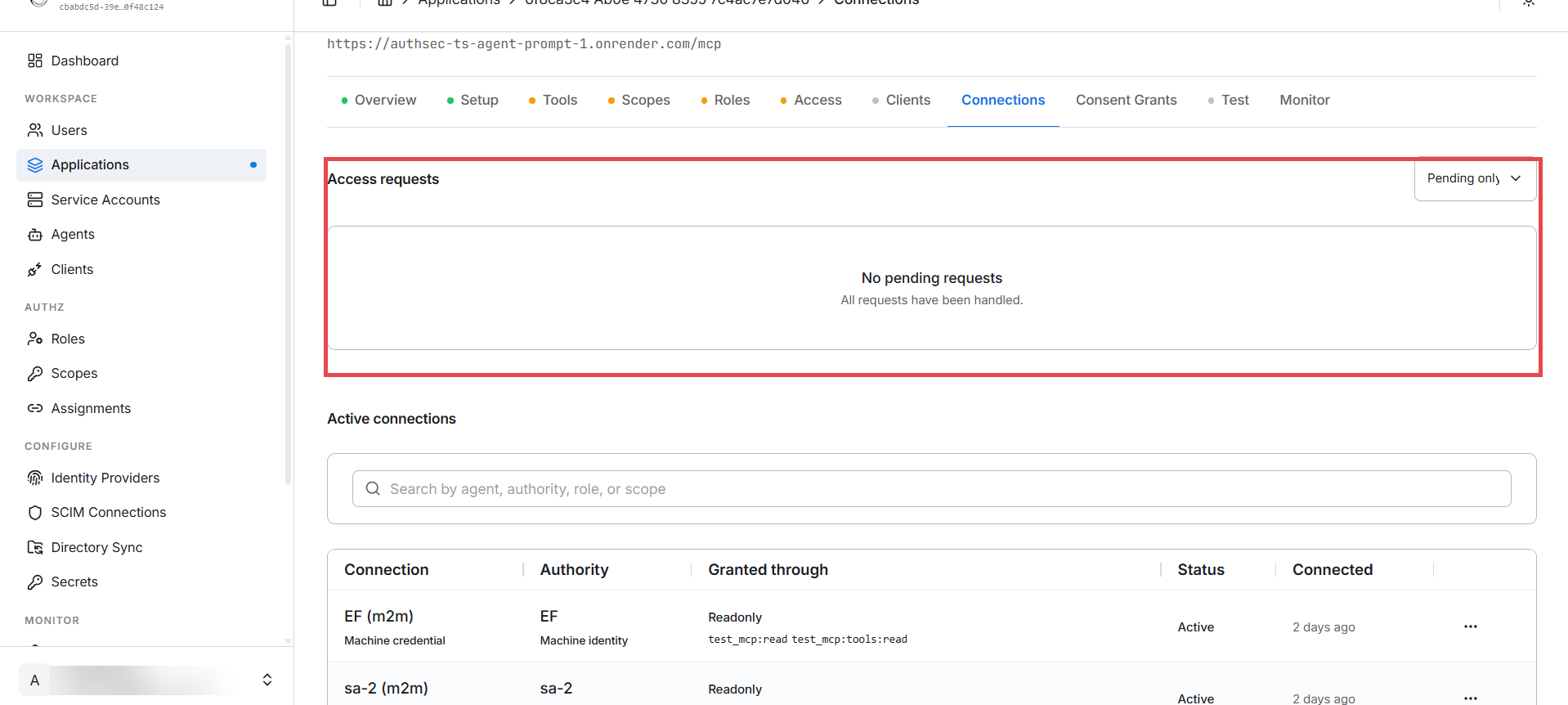
The admin approves. The agent's first call parks as a pending request
on the application's Connections tab. Approve it and pick the role the
agent gets (e.g. Readonly) -- a polling agent picks up the approval
automatically, no restart needed:
From then on the same user + agent + server combination goes straight through: login -> cached token -> tools. No consent re-run, no pending request, no admin involvement.
Verify
- WORKSPACE -> Agents shows the agent, its connected server, status, and last token time.
- Application -> Connections tab shows the agent as an active connection with the user, role, and scopes.
- A
tools/listcall with the delegated token returns only the tools the granted scopes allow.
Revoking
Either side can kill the delegation at any time -- without touching the user's own access:
Per agent -- Agents page -> the row's ... menu -> Revoke
connection. The agent's next call fails with ConnectionRevokedError:
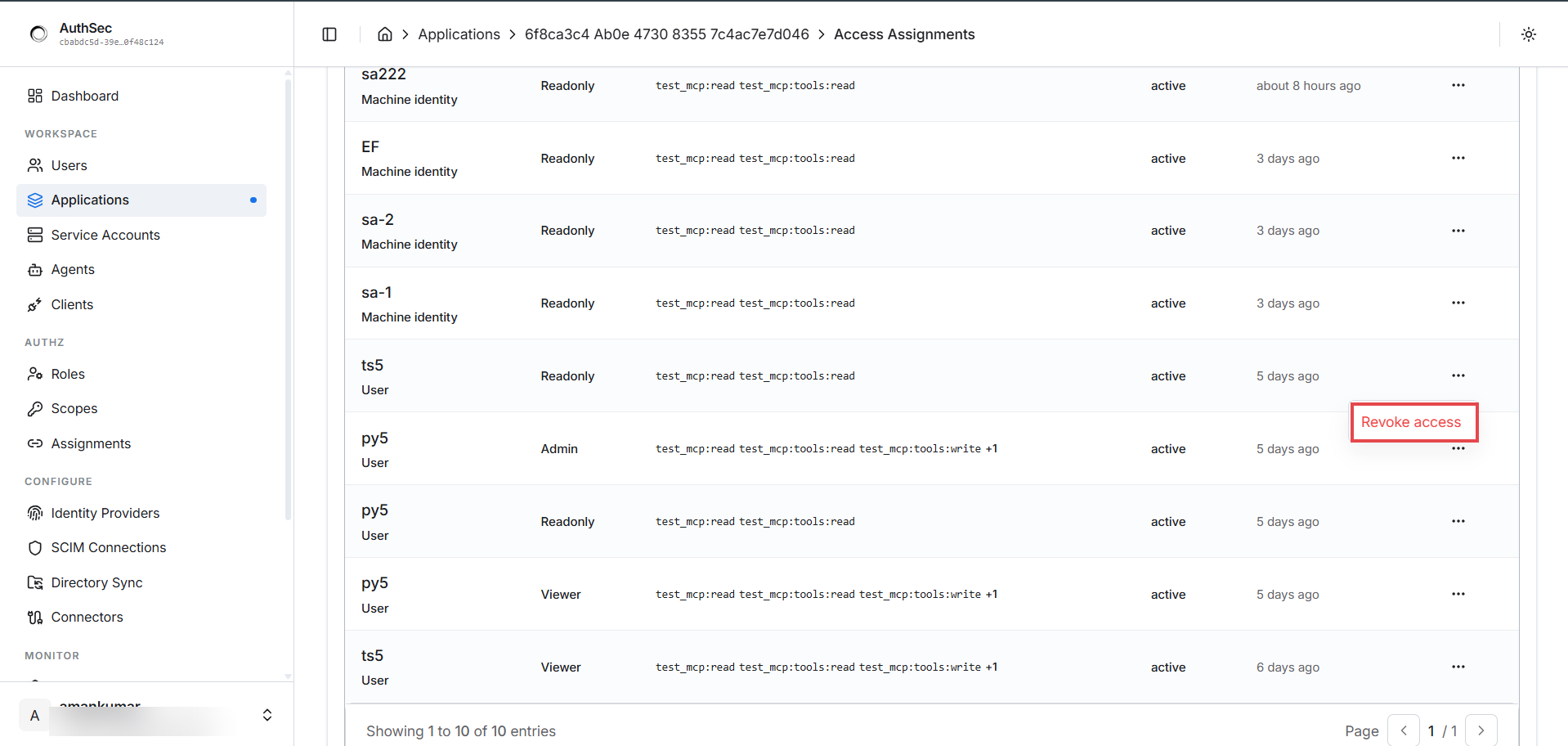
Per identity on the app -- application -> Access tab -> Who has access -> the row's ... -> Revoke access. Works for any identity; affects only this application:
Troubleshooting
| Symptom | Cause | Fix |
|---|---|---|
| Stuck "waiting for approval", nothing on the Connections tab | Requested scopes do not exist on the target server | Use scopes from the server's PRM scopes_supported |
redirect_uri mismatch at login | Agent registered with a different redirect URI | Match the registration (default http://localhost:8126/callback) |
| Token works, then suddenly 401s | Connection revoked or token expired mid-session | Retry once; on ConnectionRevokedError, re-request access |
| Agent missing from the Agents page | It has never successfully connected | Normal -- it appears after its first server connection |
Error reference
| Exception | Meaning | What to do |
|---|---|---|
PendingApprovalError | First contact -- admin approval pending | poll_until_approved(...) |
ApprovalDeniedError | Admin declined the request | Inform the user; do not retry |
ConnectionRevokedError | Previously approved connection revoked | Re-request access or inform the user |
TrustedIssuerMissingError | IdP not trusted by AuthSec | Configure the identity provider in the dashboard |
CredentialInvalidError | Agent client_id/secret wrong | Re-copy from registration |
Next
All callers are connected. Monitor and manage them:
-> Watching it all -- Connections tab, M2M Logs, and the Access tab's Who has access list.