Microsoft Entra ID
Entra (formerly Azure AD) does SAML through an Enterprise application with single sign-on set to SAML — not through an app registration, which is the OIDC path.
You need: Entra admin rights to create an enterprise application.
1. In AuthSec
Identity Providers → + Add provider → SAML 2.0, then pick the Microsoft Entra ID preset.
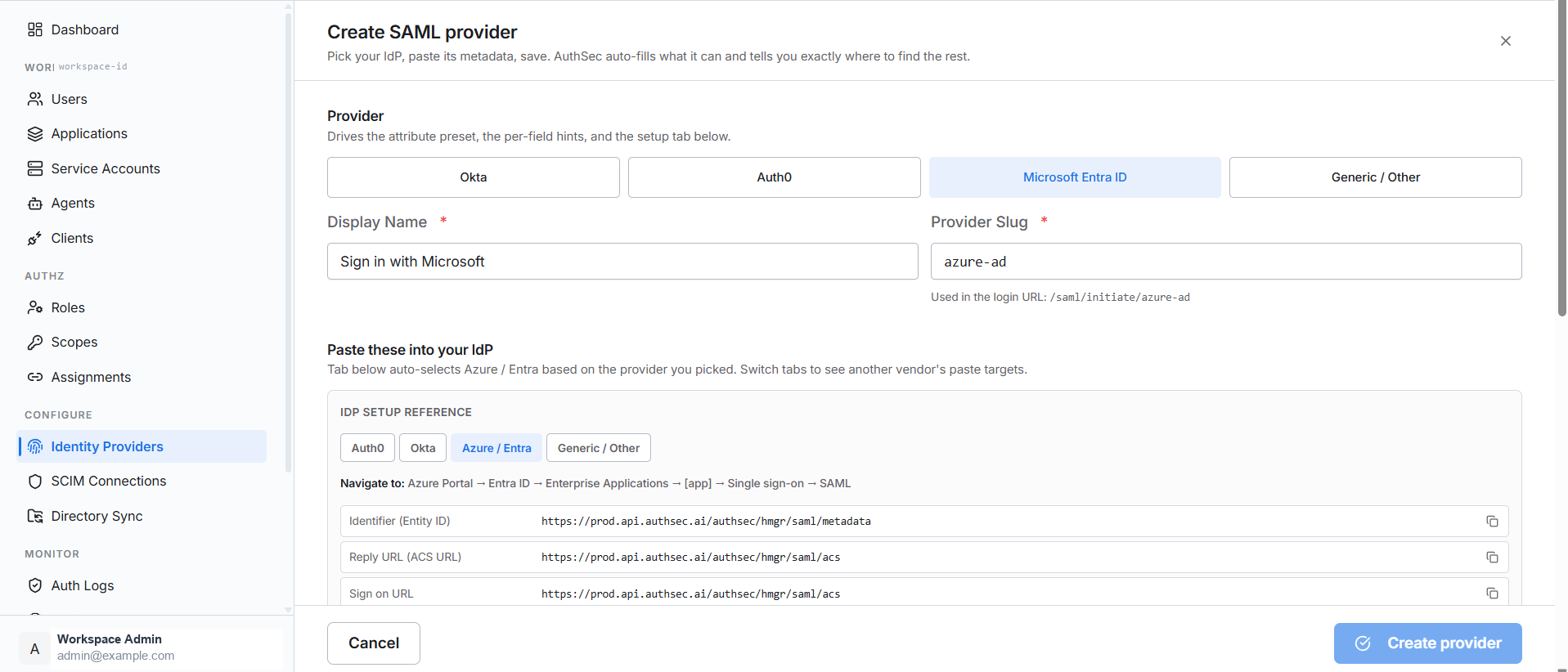
2. In Entra
Navigate to Azure Portal → Entra ID → Enterprise Applications → [app] → Single sign-on → SAML.
Edit Basic SAML Configuration:
| Entra field | Paste from AuthSec |
|---|---|
| Identifier (Entity ID) | Audience URI (SP Entity ID) |
| Reply URL (ACS URL) | Single sign-on URL |
| Sign on URL | Single sign-on URL |
3. Back in AuthSec
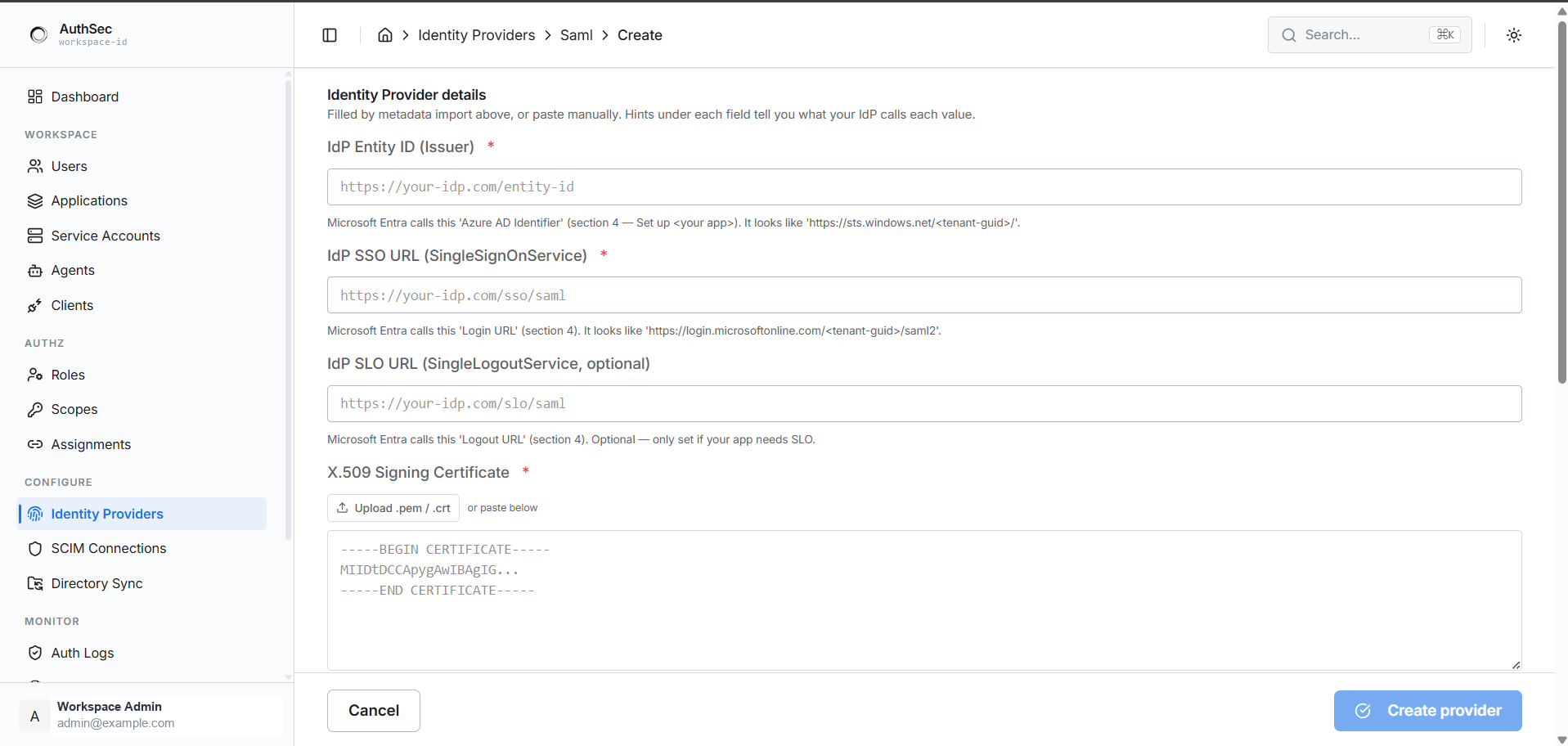
Entra's SAML page is laid out in numbered sections, and AuthSec's hints point at them directly:
| AuthSec field | Entra location |
|---|---|
| Import IdP metadata XML | Section 3 — App Federation Metadata URL, or download the Federation Metadata XML |
| IdP Entity ID (Issuer) | Section 4 — Azure AD Identifier, like https://sts.windows.net/<tenant-guid>/ |
| IdP SSO URL | Section 4 — Login URL, like https://login.microsoftonline.com/<tenant-guid>/saml2 |
| IdP SLO URL | Section 4 — Logout URL, optional |
| X.509 Signing Certificate | Section 3 — Certificate (Base64) |
Downloading the Federation Metadata XML and using Apply metadata fills all of these at once.
4. Attributes
Entra emits long schema URIs rather than short names:
http://schemas.xmlsoap.org/ws/2005/05/identity/claims/emailaddress
http://schemas.xmlsoap.org/ws/2005/05/identity/claims/givenname
http://schemas.xmlsoap.org/ws/2005/05/identity/claims/surname
The Entra preset pre-fills these — this is the main reason to pick the right preset. Configure the matching claims under Section 2 — User Attributes & Claims, where the Unique User Identifier (Name ID) should be EmailAddress.
Click Create provider.
Gotchas
- Certificate (Base64), not Certificate (Raw). Raw is a binary
.cer. Download Base64, open it in a text editor, and paste the whole PEM block. - Assign users or groups. An enterprise application admits nobody until users are assigned under its Users and groups blade.
- Signing certificates expire, and Entra rolls them. Re-import the federation metadata after a rollover or sign-in breaks.
- Enterprise application, not app registration. Creating an app registration and looking for SAML there is a common wrong turn — that path is OIDC.