GitHub
Signs users in with a GitHub account. A natural fit when your users are developers who already have one.
You need: access to Developer settings on a personal account or an organisation.
In AuthSec
Identity Providers → + Add provider → OIDC / OAuth 2.0 → GitHub. Copy the Callback URL.
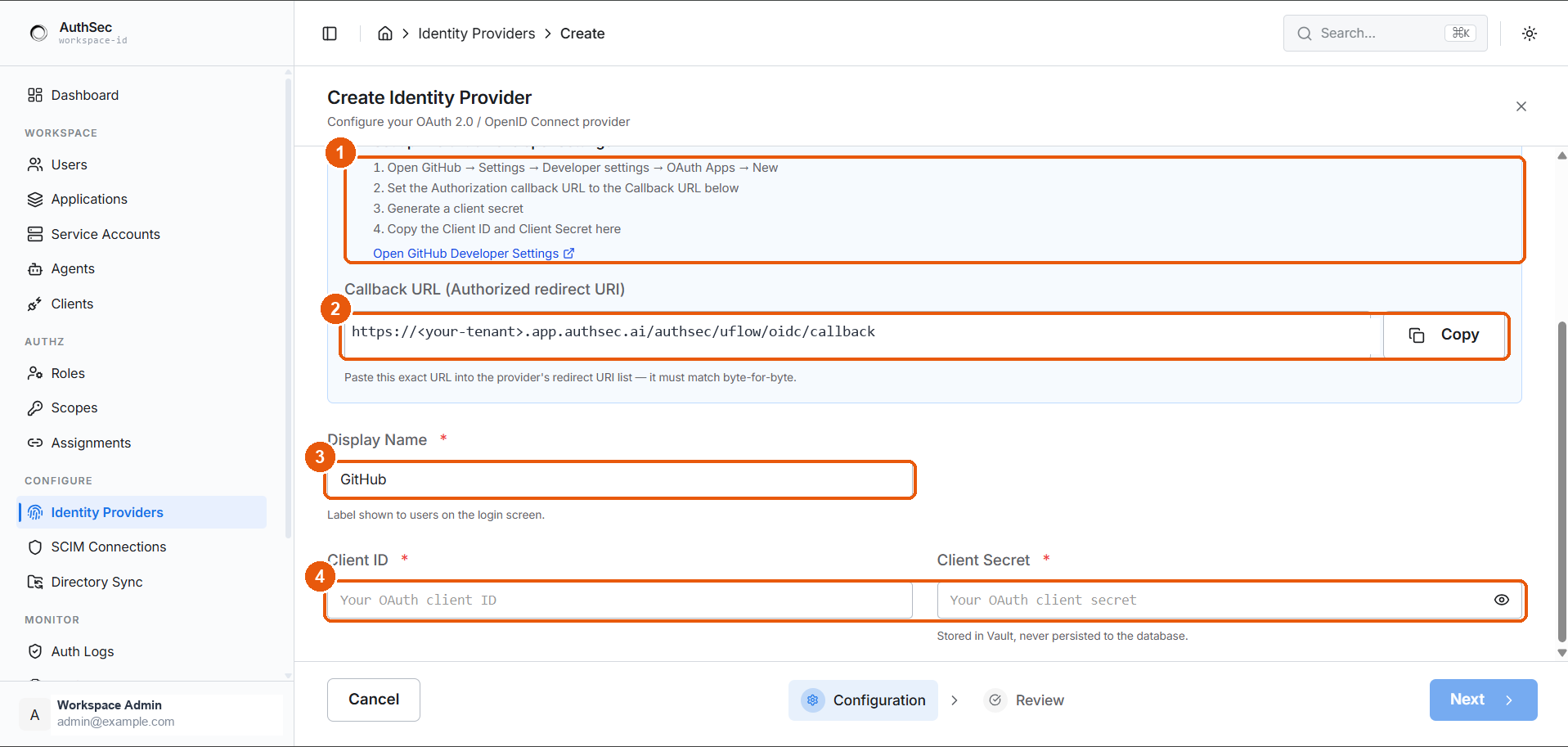
① GitHub setup steps · ② the Callback URL · ③ Display Name · ④ Client ID and Secret
In GitHub
- Settings → Developer settings → OAuth Apps → New OAuth App
- Application name — users see this on GitHub's authorisation screen, so name it after your product
- Homepage URL — your application's URL
- Authorization callback URL — paste the Callback URL
- Register application
- Copy the Client ID, then Generate a new client secret and copy that
Create it under the organisation, not a personal account
An OAuth App owned by one person disappears with that person's account. Create it under Organisation settings → Developer settings so ownership survives staff changes.
OAuth App, not GitHub App
GitHub offers two kinds of integration. This template expects an OAuth App.
| OAuth App | GitHub App | |
|---|---|---|
| Built for | Signing users in | Acting on repositories |
| Permissions | Broad, user-scoped | Fine-grained, installable |
| Use here | Yes | No |
Fields in AuthSec
| Field | Value |
|---|---|
| Display Name | What the login button says — "GitHub" |
| Client ID | Starts with Iv1. or Ov23 |
| Client Secret | Shown once, at generation |
Gotchas
- Private email addresses. A user with Keep my email address private set returns a
users.noreply.github.comaddress. The template requestsuser:emailso AuthSec can read the verified address, but users with no public or verified email may fail to sign in. - GitHub is not a full OIDC provider. It implements OAuth 2.0 with a user API rather than OIDC discovery. The template handles this; it is why the claims are thinner than Google's or Microsoft's.
- One callback URL per OAuth App. Unlike Google, GitHub accepts a single value — separate staging and production apps need separate OAuth Apps.
- Organisation access restrictions can block the app until an owner approves it.