SAML 2.0 Setup
Click the "Add Method" button and select "SAML 2.0".
Step 1: Configuration
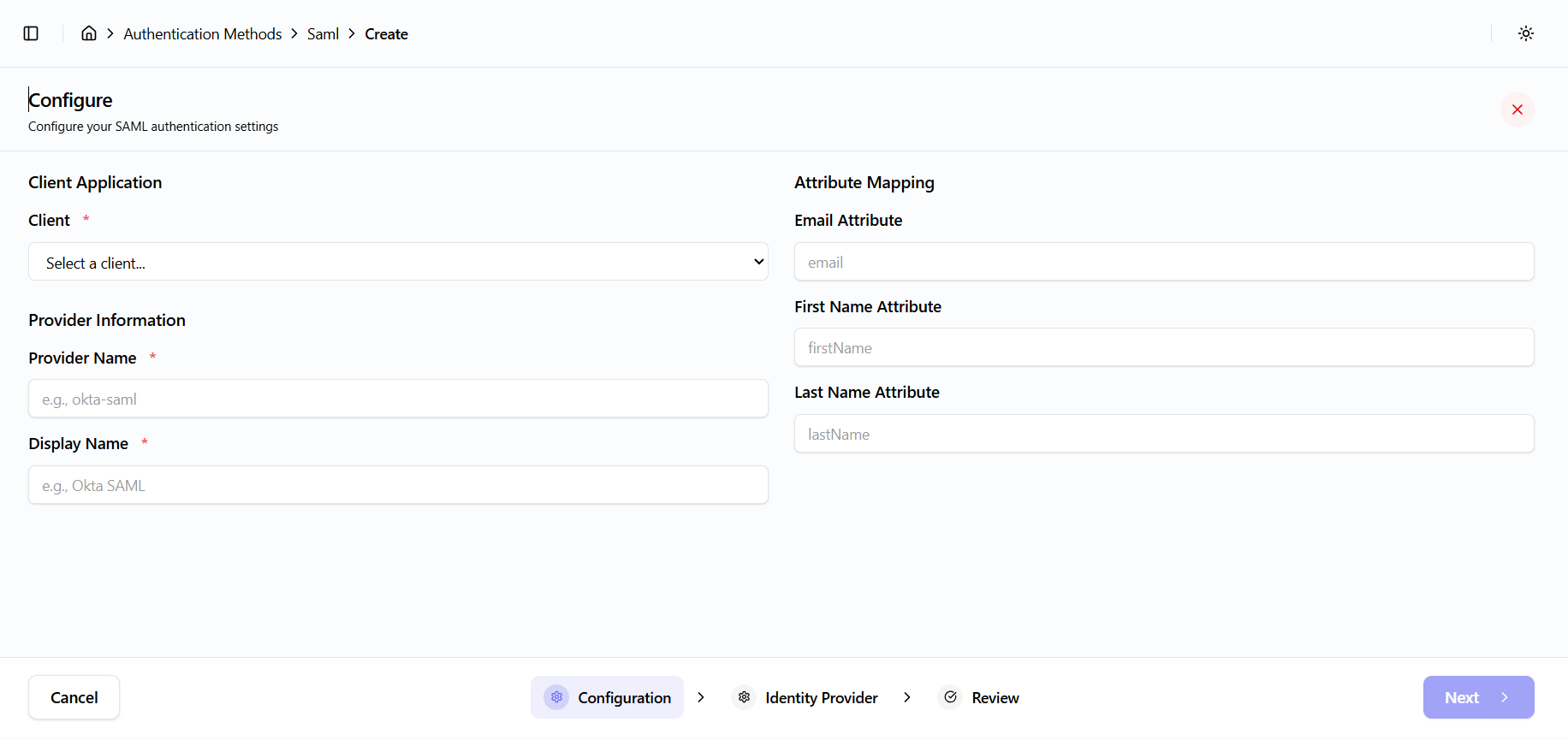
Configure the following fields:
- Select Client (loaded from the clients API)
- Provider Name (example:
okta-saml) - Display Name (example:
Okta SAML)
Service Provider metadata is auto-generated, including:
- Entity ID
- ACS URL
- Copy buttons are provided
Step 2: Identity Provider Configuration
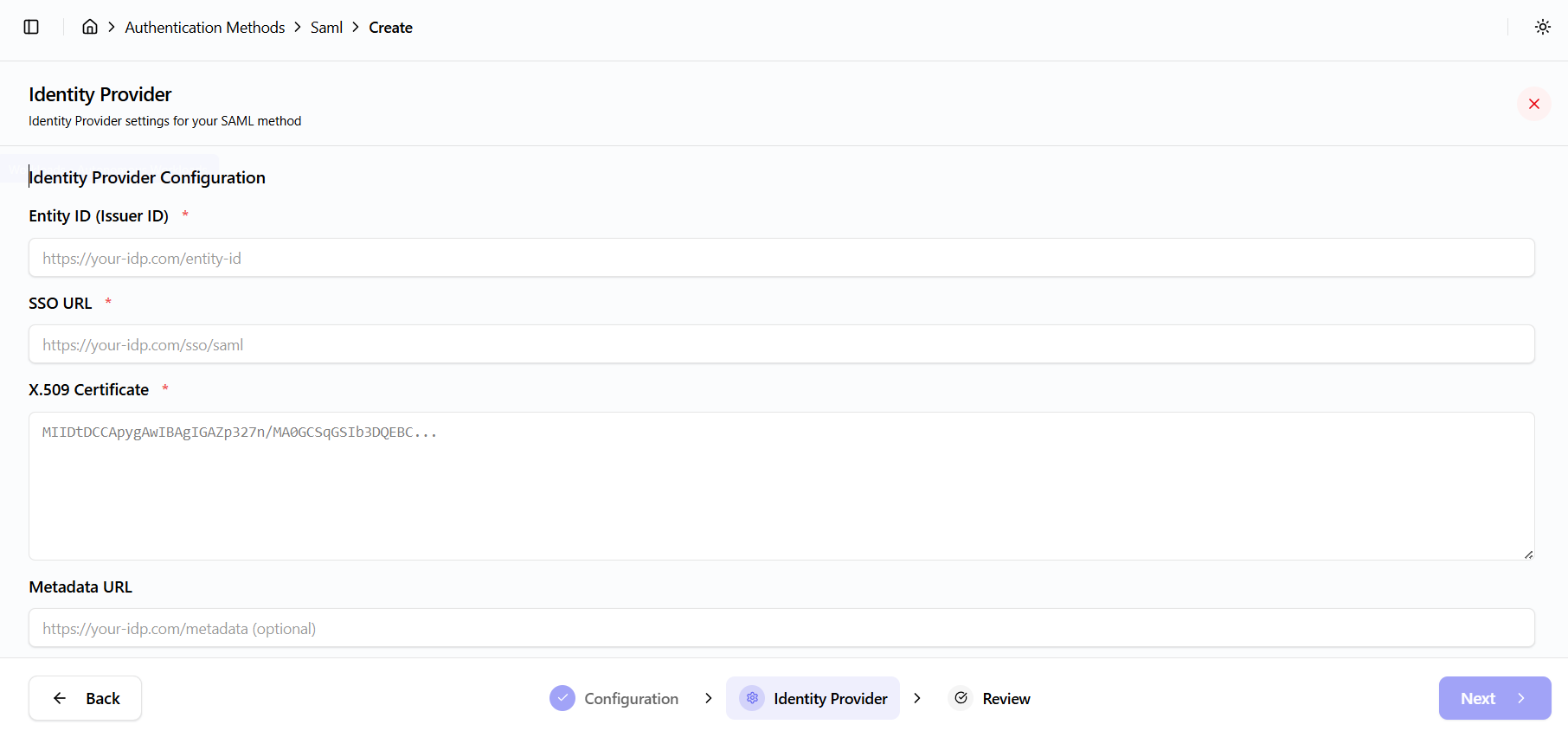
Required and optional fields include:
- Entity ID (from IdP metadata)
- SSO URL (IdP login endpoint)
- Certificate (X.509 PEM format)
- Metadata URL (optional)
- Name ID format (example: persistent identifier format)
Attribute mapping:
emailmapped toemailfirst_namemapped tofirstNamelast_namemapped tolastName
Step 3: Review
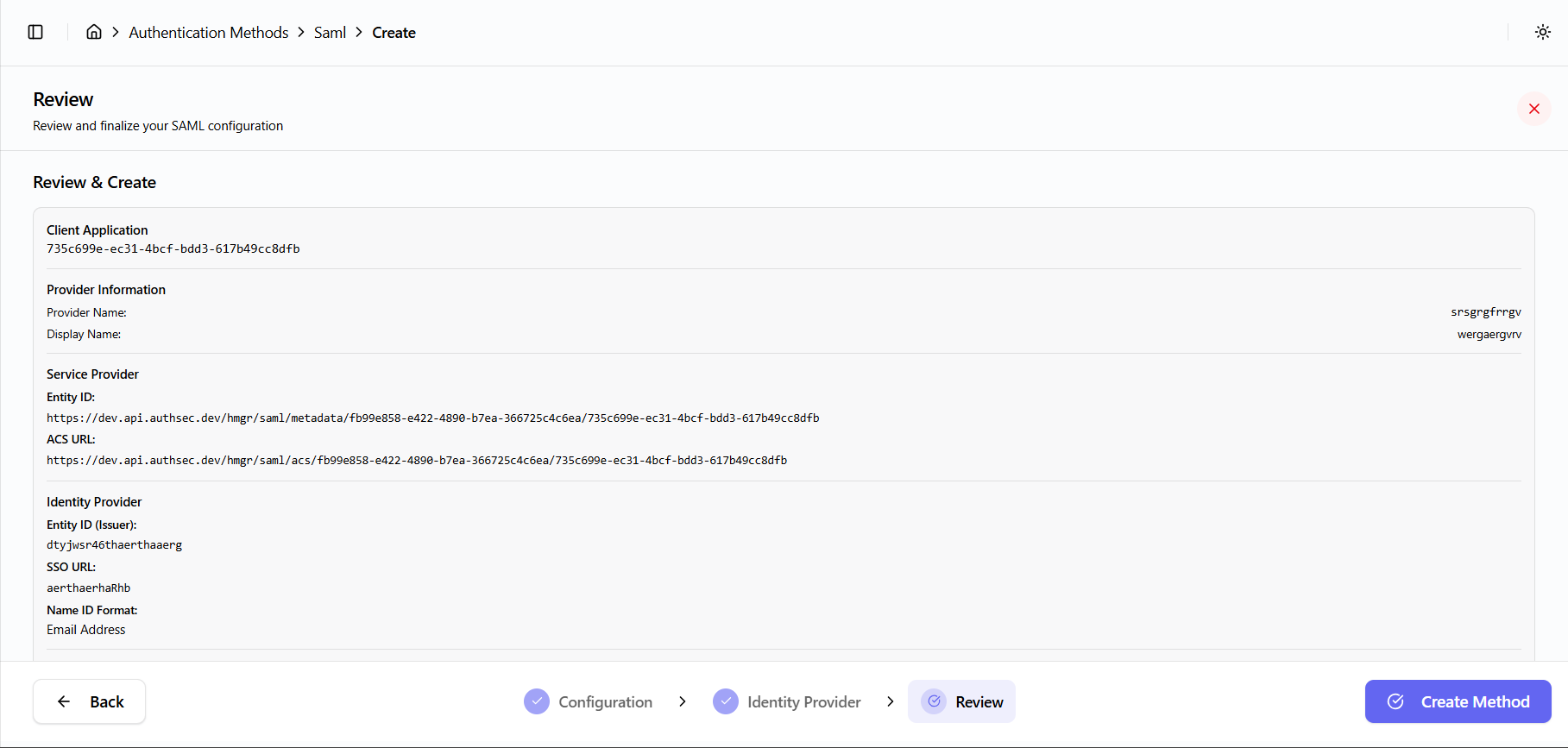
- Review the full configuration
- Click Finish to complete setup
API Call
The following API call is used to create the SAML provider:
Endpoint: POST /oocmgr/saml/add-provider
Payload includes:
- Tenant ID
- Client ID
- Provider details
- IdP configuration
- Attribute mapping
- Active status
- Sort order