AI/MCP IAM cockpit
AuthSec's IAM console is organized around one operational question:
Given a user, client, application, and MCP tool, can the call happen, why, what changed, and what should an operator do next?
It is not a database browser. Raw UUIDs, binding IDs, role IDs, and generic timestamps are available in detail/audit contexts only. The primary screens spend their space on exposed tools, reachable users, access paths, risk, drift, denials, and safe remediation.
Field budget
Keep a field on a primary screen only when it answers one of these:
- What is exposed? Tools, public access, risky labels, drift, denied calls.
- Who can use it? Users, roles, clients, and grants with access.
- Why? Effective access path, role source, mapped label, consent state.
- What changed? Drift, recent denial, policy mutation, audit evidence.
- What should I fix? One next action per queue row or table row.
Move everything else into inspectors, impact previews, exports, or audit logs.
Screens
Overview
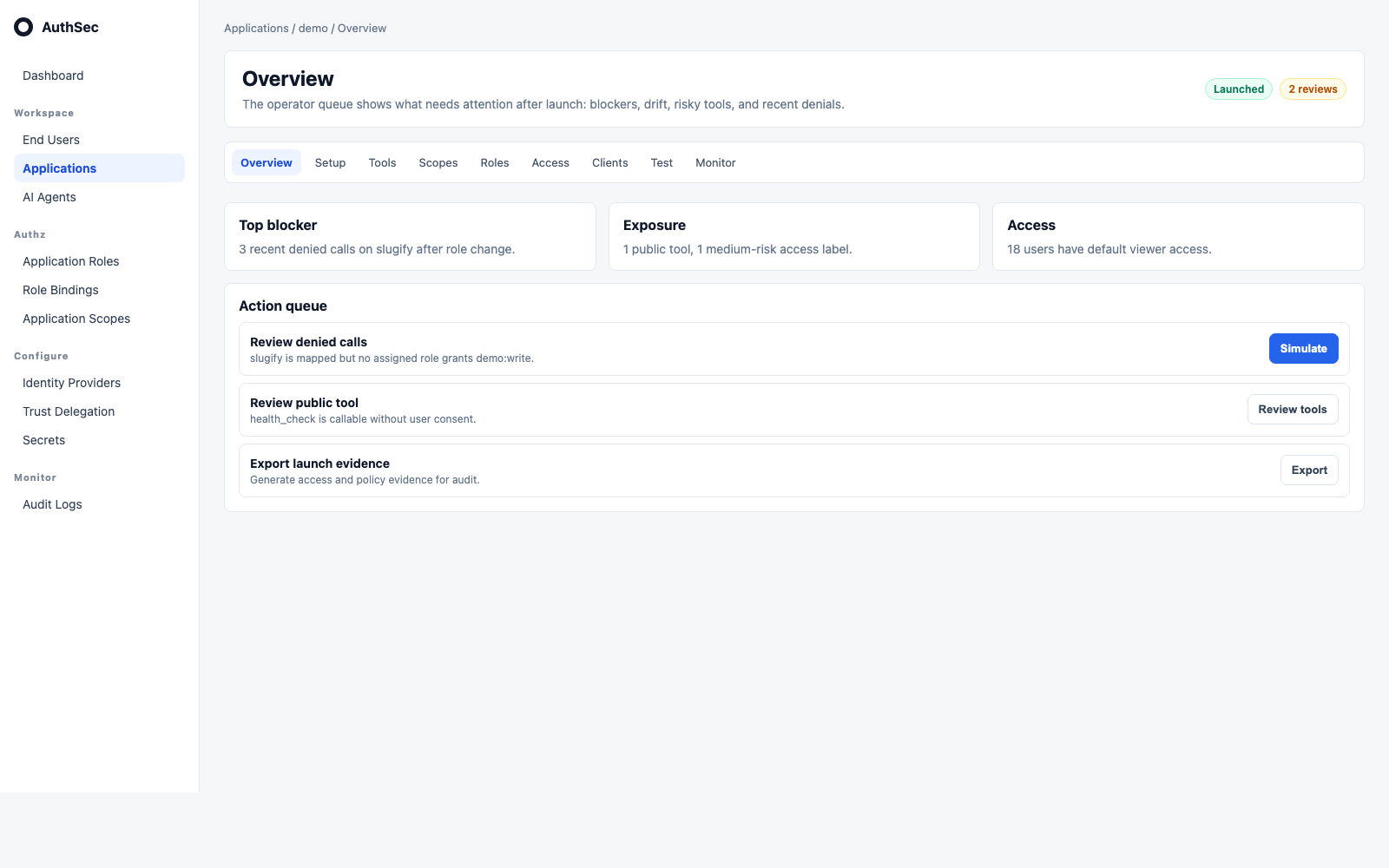
The Overview page replaces the old launch-focused lower panel with an action queue. Operators see launch blockers, unmapped tools, public/risky exposure, role gaps, drift, and recent denials.
Setup
Setup is the onboarding step for SDK wiring, secrets, and protected-resource configuration. It is not the permanent operational view.
Tools
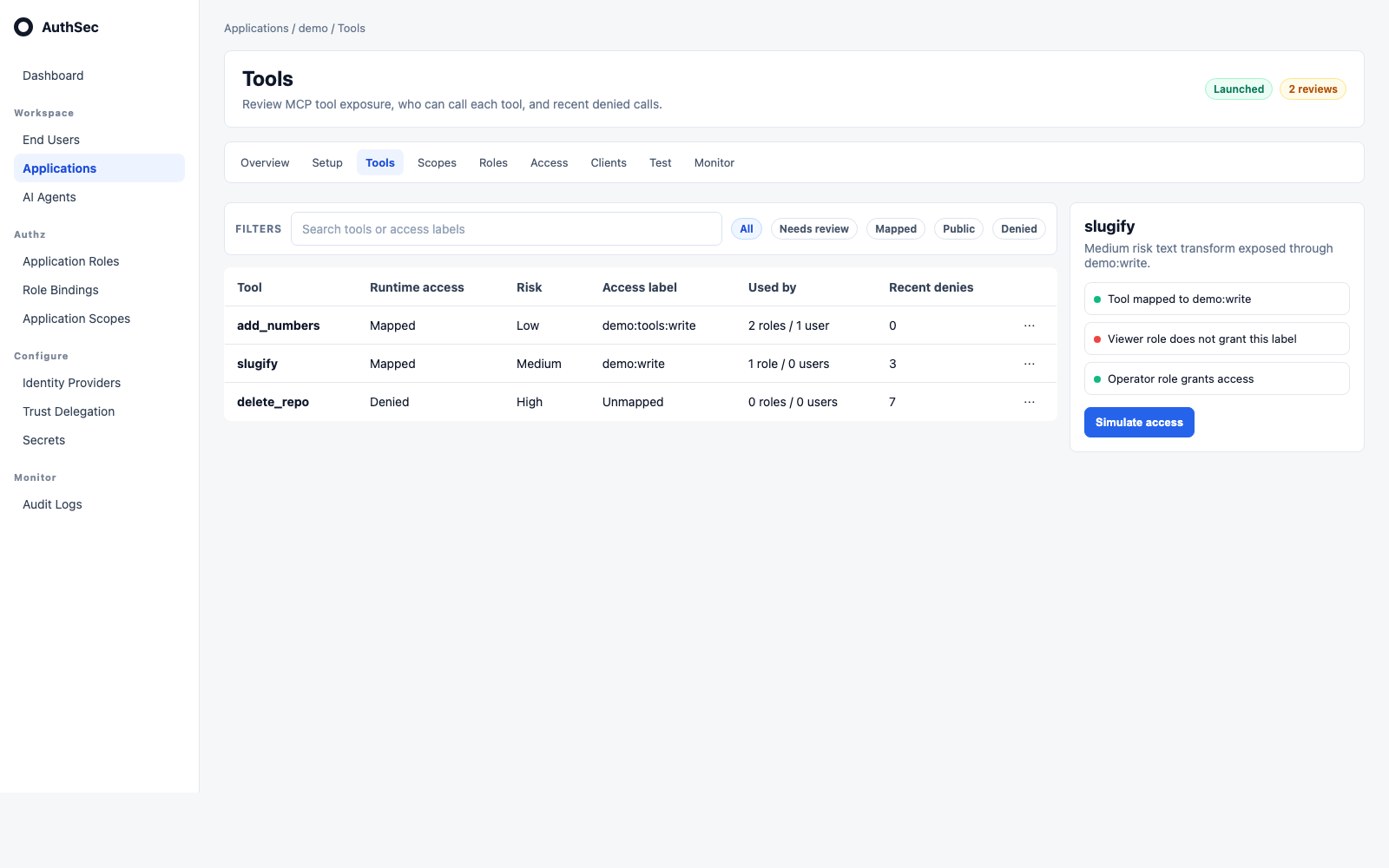
Tools use one slim filter bar and one right inspector. There is no row drawer. The inspector shows access path, affected users/roles/clients, risk reason, and remediation actions.
Scopes
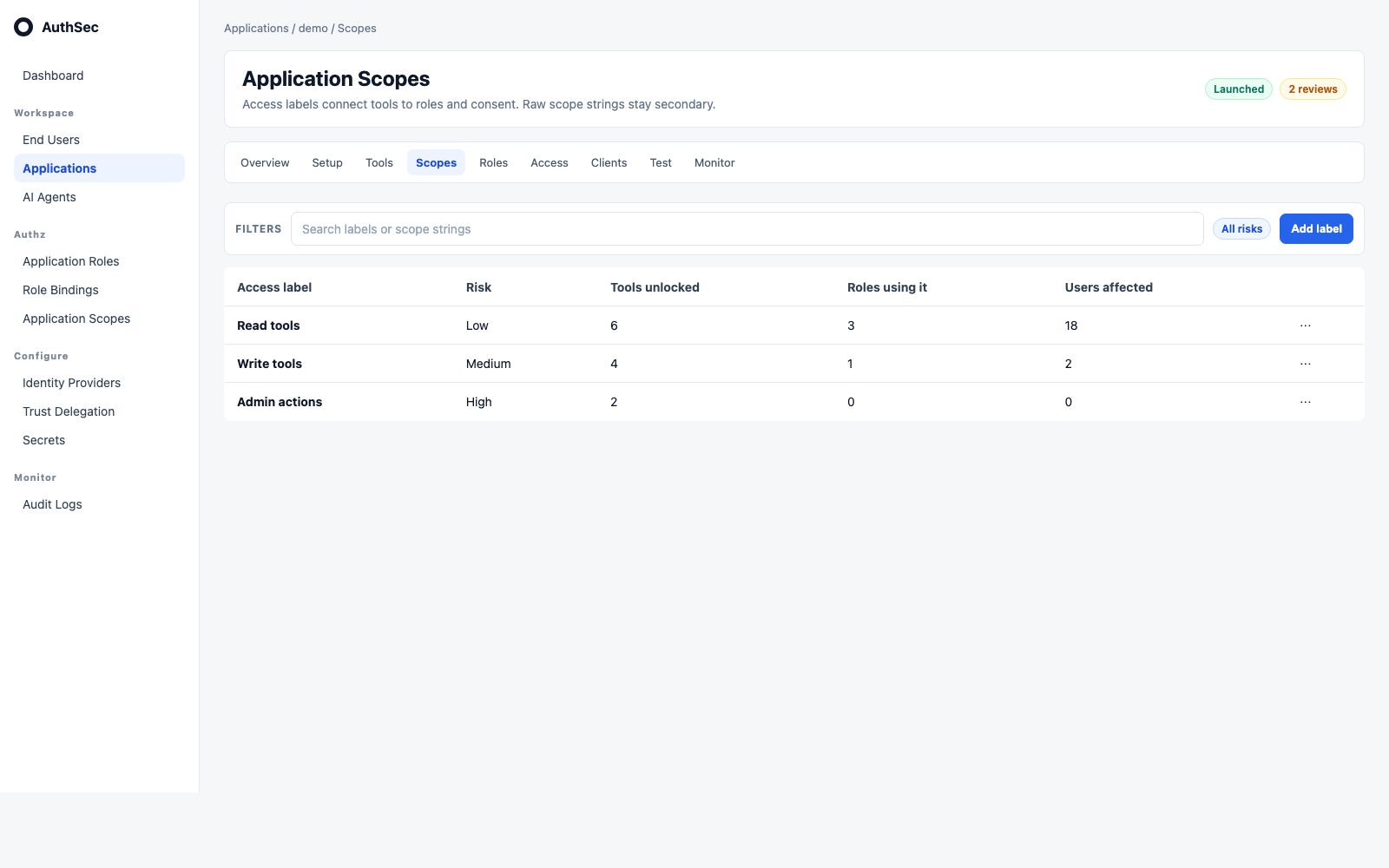
Scopes are shown as access labels. The raw scope string is secondary and copyable; source and updated timestamps are not primary unless they change ownership or remediation.
Roles
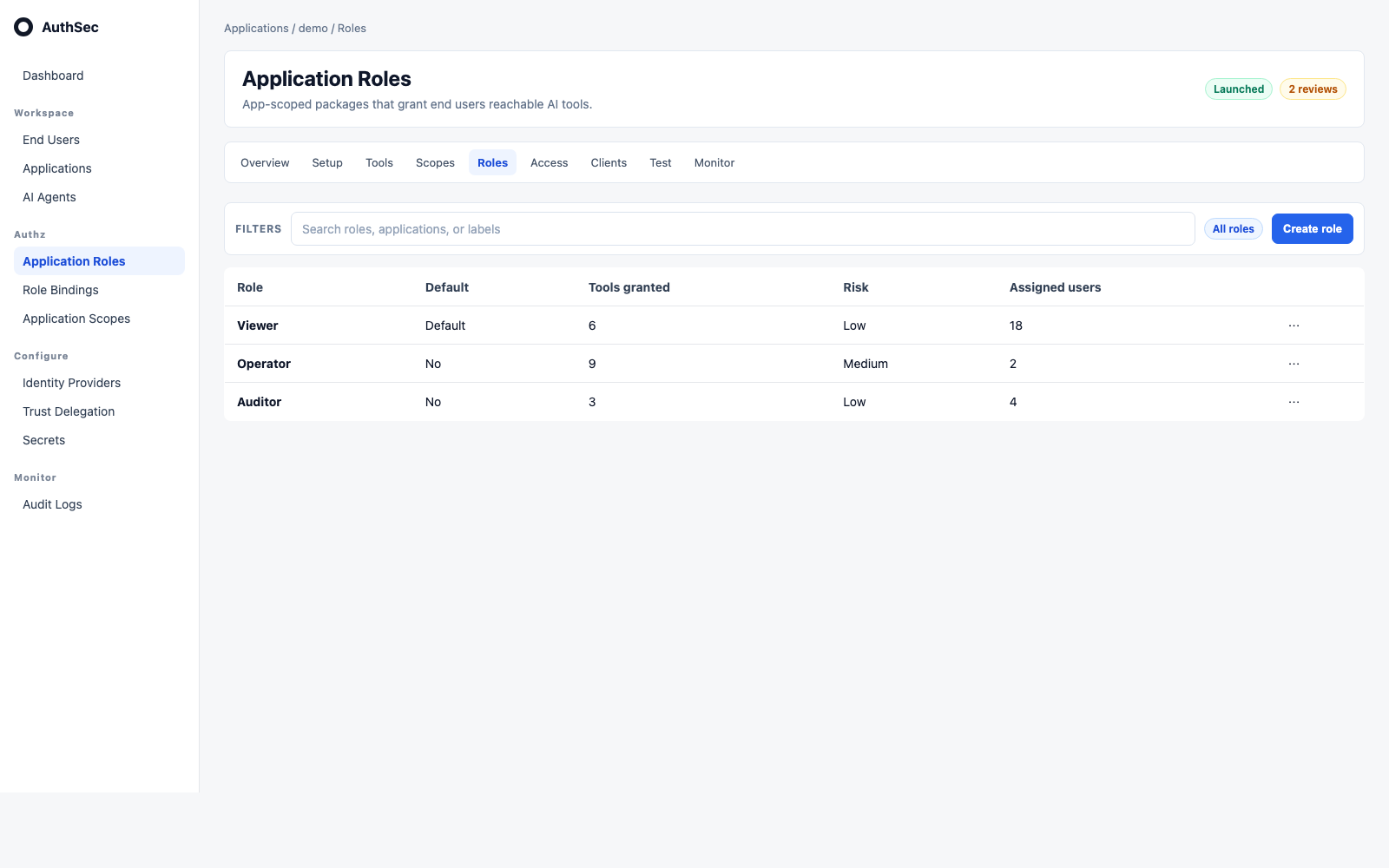
Application Roles are app-scoped access packages. They show default status, tools granted, risk, users assigned, and actions for editing labels or assignments.
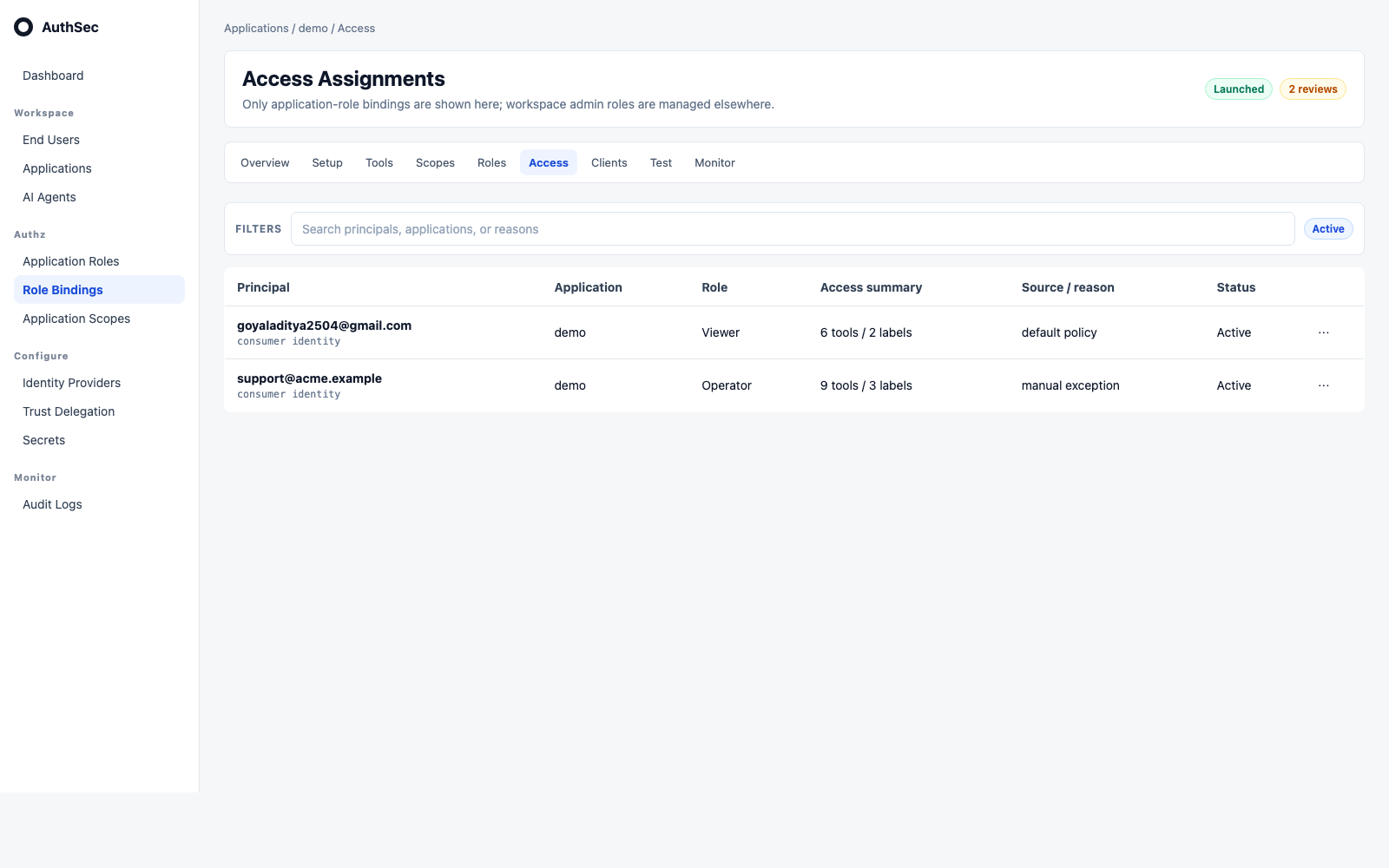
Access Assignments
Access Assignments show application-role bindings only. Workspace-admin roles are intentionally excluded from this view.
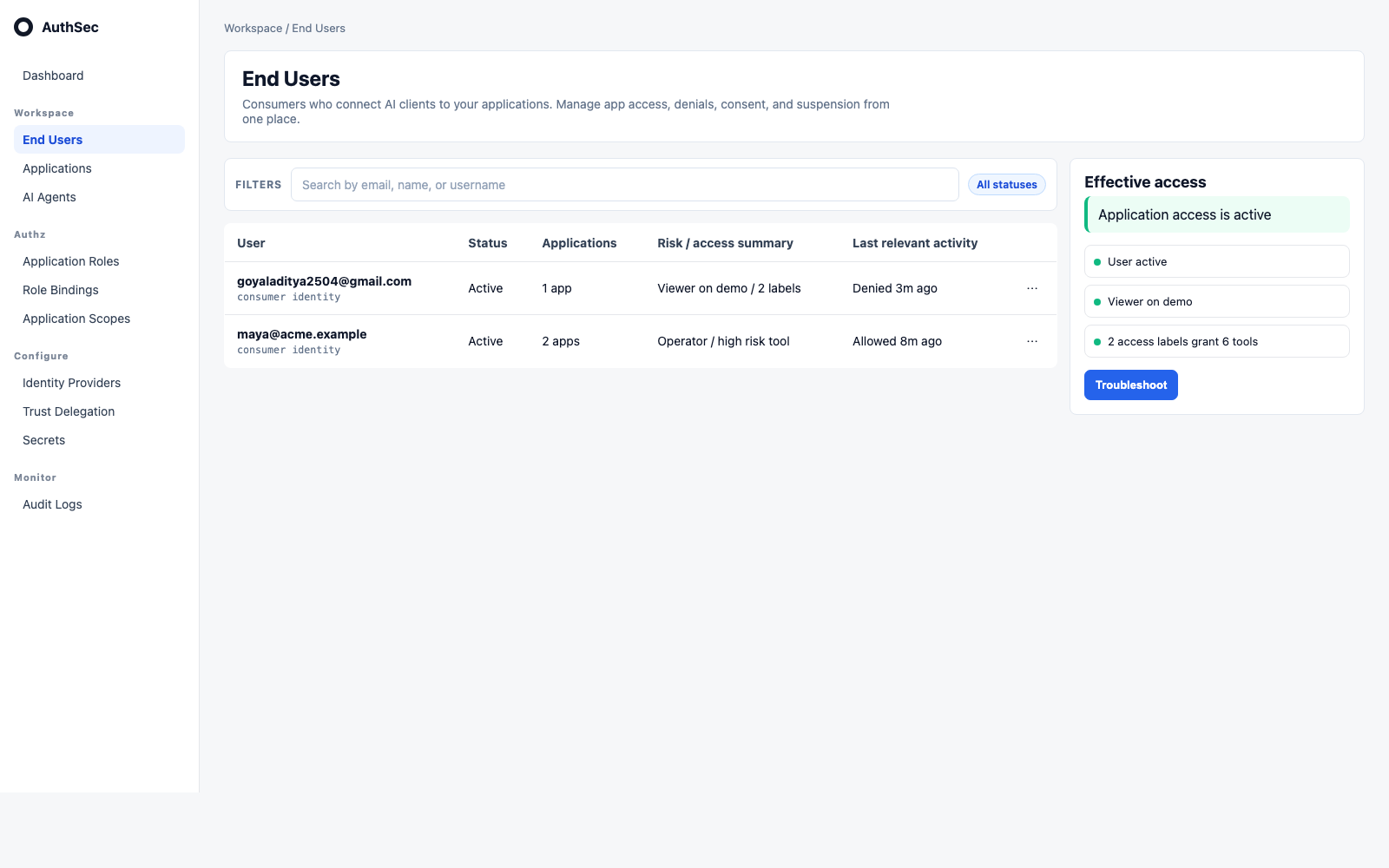
End Users
End Users are consumer identities, not workspace members. The right inspector summarizes applications, roles, labels, reachable tools, recent denials, and safe actions such as troubleshoot, remove app access, revoke consent, suspend/reactivate, and export.
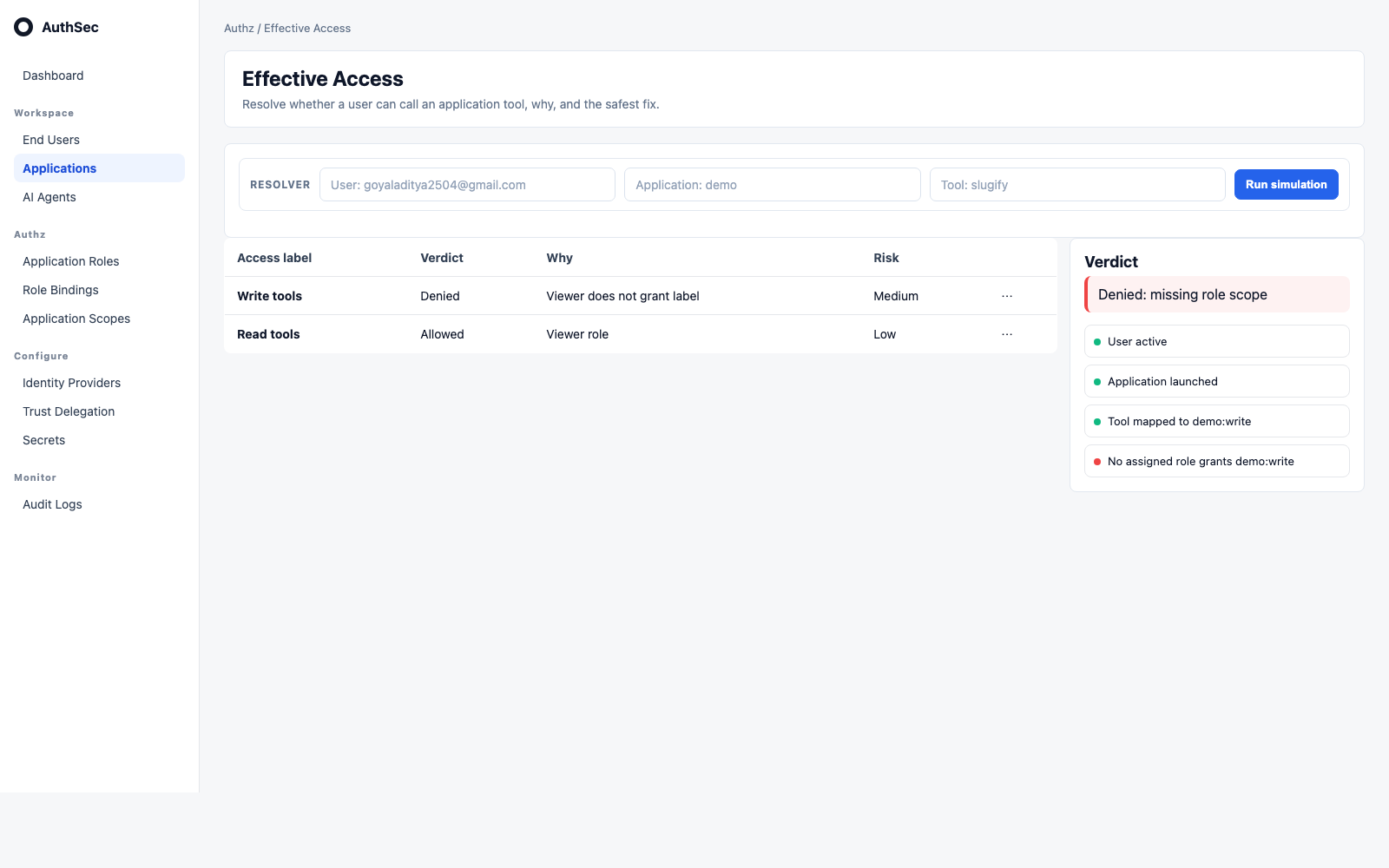
Effective Access
Effective Access is the resolver surface. Pick user, application, and tool; AuthSec returns an allowed/denied verdict, failed condition, access path, and safest fix.
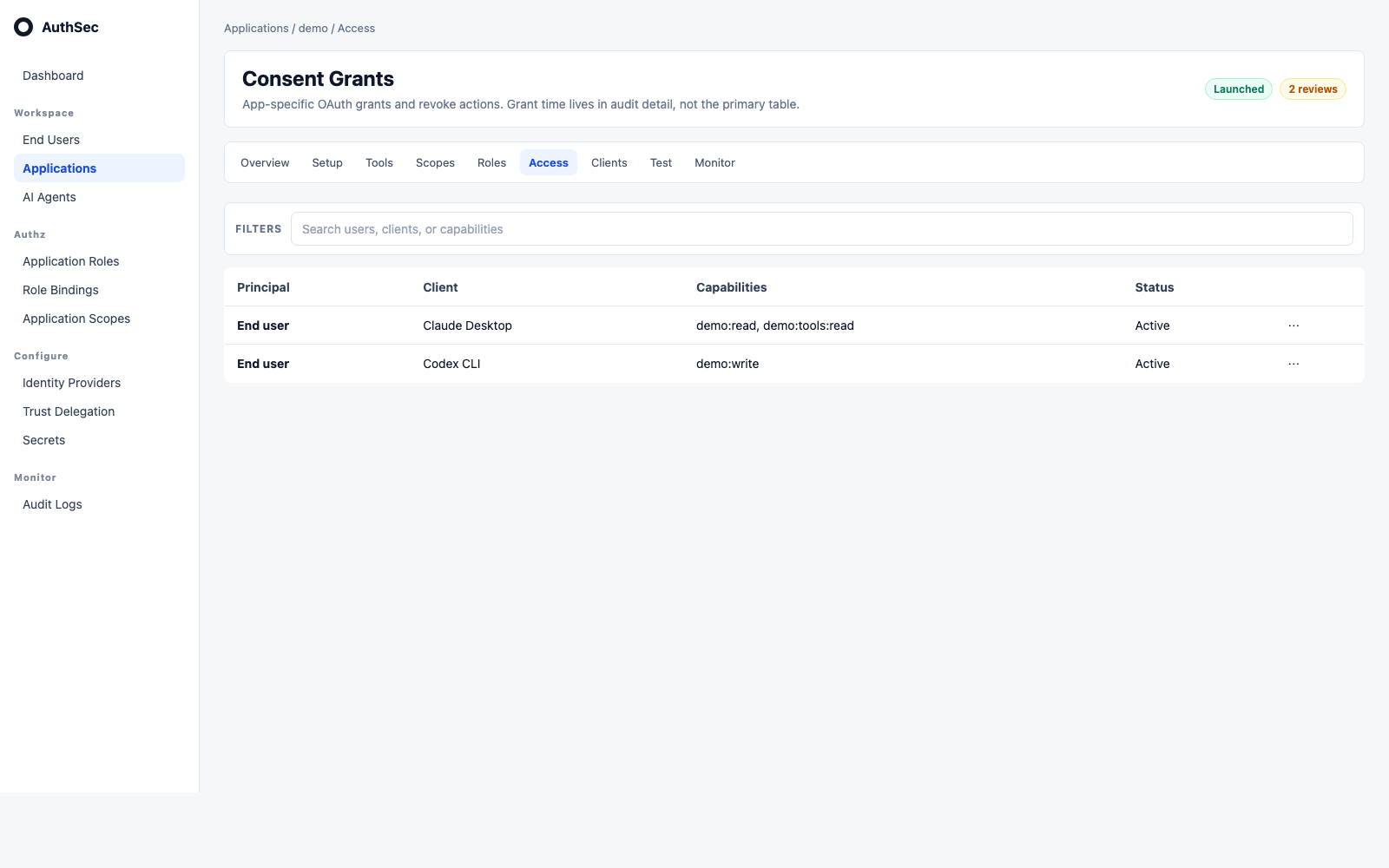
Consent Grants
Consent grants live inside an application context. The primary table shows principal, OAuth client, capabilities, status, and revoke action. Grant time is audit/detail metadata, not a cross-product headline.
Test
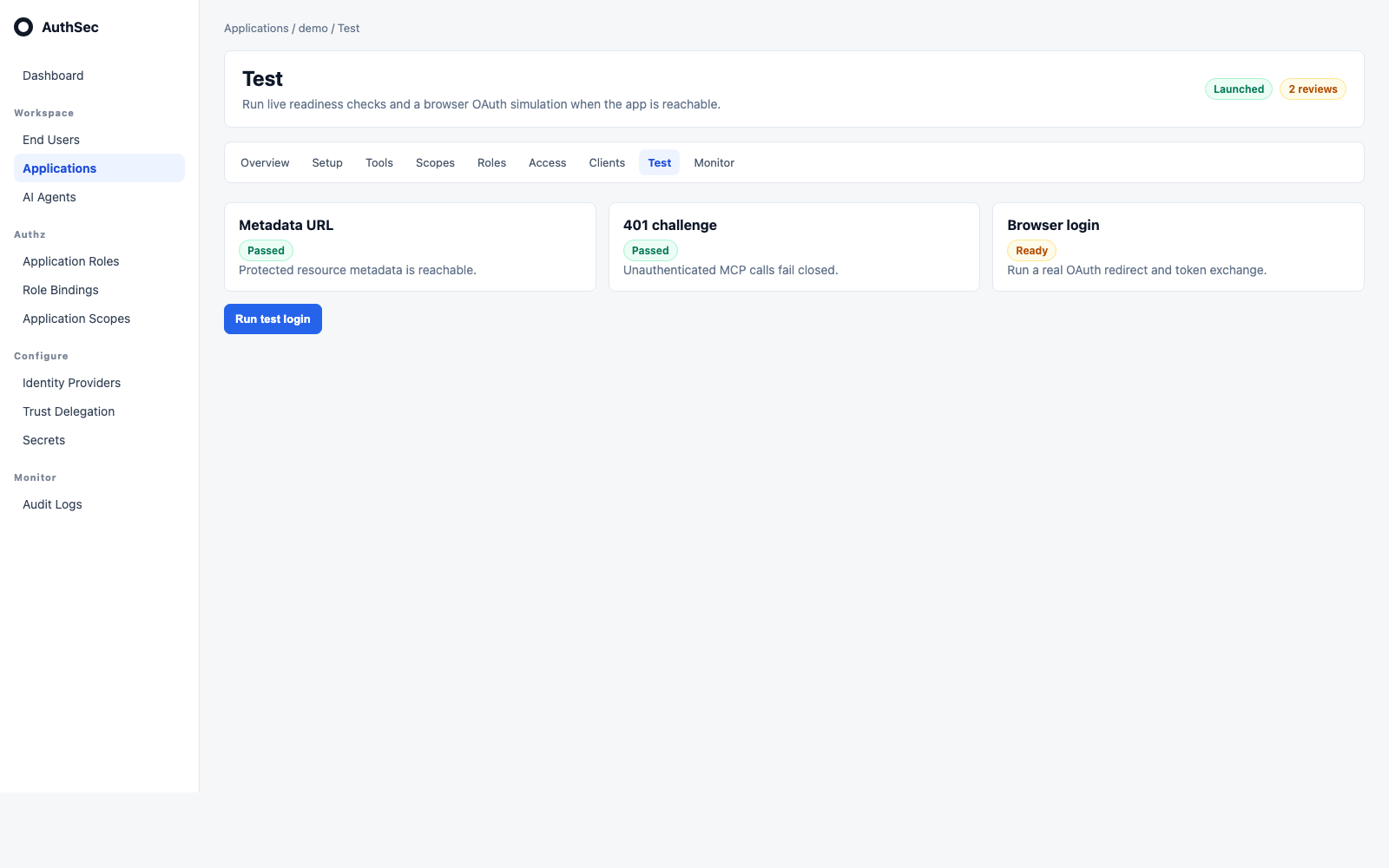
Test is a live readiness check and OAuth simulation surface. The action queue and failing checks tell the operator what to fix without adding a second generic decisions panel.
Responsive checks
Desktop, tablet, and mobile screenshot assets are kept under static/screenshots/iam-console/. The same screens are captured at:
- Desktop:
1600x1000 - Tablet:
900x1000 - Mobile:
390x900
Tables use priority columns so they collapse instead of introducing horizontal scroll. Inspectors stack below the table on smaller viewports.
Aggregate APIs
The console reads server-side aggregates instead of joining IAM state in the browser:
| Method | Route | Purpose |
|---|---|---|
GET | /authsec/v1/workspaces/:workspace_id/applications/posture-summary | Workspace action queue and exposure totals |
GET | /authsec/v1/applications/:id/tool-exposure | Tool inventory and mapping posture |
GET | /authsec/v1/applications/:id/scopes | Application access labels |
GET | /authsec/v1/applications/:id/scopes/:scope_id/impact | Impact preview for label deletion/change |
GET | /authsec/v1/applications/:id/access-assignments | Application-role bindings |
GET | /authsec/v1/applications/:id/end-user-access-summary | Users, roles, scopes, and bindings for one app |
GET | /authsec/v1/applications/:id/effective-access?user_id=... | User/application access resolution |
POST | /authsec/v1/applications/:id/access-simulations | User/tool/client verdict and decision trace |
POST | /authsec/v1/applications/:id/access-change-previews | Safe-removal and blast-radius preview |
POST | /authsec/v1/applications/:id/evidence-exports | Audit evidence bundle |
During the Phase 5 overlap, new UI/API code reads workspace_id first and tolerates tenant_id only for compatibility. The UI and SDK do not require an emergency update while the backend emits both fields.