Method B — Private-key JWT
When to use it
Private-key JWT eliminates the weakness of a shared secret: nothing secret ever crosses the wire. Your service signs a short-lived JWT assertion with a private key that never leaves the machine; AuthSec verifies it with the matching public key, which you publish at a URL. Even an attacker who records every request cannot replay it — each assertion is single-use and expires in minutes.
This is the right choice for enterprise security postures and any environment where secret storage or transport is a concern. It costs three one-time preparation steps (keypair, JWKS, registration). If you're on Kubernetes, SPIFFE removes even the keypair. See the comparison.
How it works — RFC 7523
Instead of a Basic header, each token request carries a client_assertion — a
JWT the SDK signs on the spot:
POST <token_endpoint>
Content-Type: application/x-www-form-urlencoded

grant_type=client_credentials
&resource=<MCP_URL>
&client_assertion_type=urn:ietf:params:oauth:client-assertion-type:jwt-bearer
&client_assertion=<signed JWT>          ← PrivateKeyJwtAuth mints this per request
The assertion the SDK signs looks like this (RS256), and every field matters:
{
  "iss": "<client_id>",     // who is asserting  (the service account)
  "sub": "<client_id>",     // subject           (the same client)
  "aud": "<token_endpoint>",// audience-bound — replay against another endpoint fails
  "jti": "<random>",        // single-use nonce — replay against the SAME endpoint fails
  "iat": 1700000000,
  "exp": 1700000300         // 5-minute lifetime
}
The JWT header carries the kid (key id) so AuthSec knows which public key in
your JWKS to verify with. Because the assertion is audience-bound (aud),
single-use (jti), and short-lived (exp), an intercepted assertion is
useless.
Step 1 — Generate a keypair
openssl genrsa -out private_key.pem 2048
openssl rsa -in private_key.pem -pubout -out public_key.pem
private_key.pem stays on the machine that runs your service — it is the
credential. Never commit it, never upload it. public_key.pem is safe to
publish (that's the whole point).
Step 2 — Build and host the JWKS
AuthSec fetches your public key from a URL in JWKS format:
{
  "keys": [
    {
      "kty": "RSA",
      "use": "sig",
      "alg": "RS256",
      "kid": "key-1",
      "n": "noFETcNJsPepUVEweAxoV1eb...   ← modulus, from your public key",
      "e": "AQAB"
    }
  ]
}
The kid here is the string you'll pass to NewPrivateKeyJwtAuth — they must
match, because it's how AuthSec picks the verification key. Generate the JWKS
from public_key.pem with this one-time program:
// jwks-gen.go — go run . > jwks.json
package main

import (
	"crypto/rsa"
	"crypto/x509"
	"encoding/base64"
	"encoding/json"
	"encoding/pem"
	"fmt"
	"math/big"
	"os"
)

func main() {
	data, err := os.ReadFile("public_key.pem")
	if err != nil {
		panic(err)
	}
	block, _ := pem.Decode(data)
	pub, err := x509.ParsePKIXPublicKey(block.Bytes)
	if err != nil {
		panic(err)
	}
	rsaPub := pub.(*rsa.PublicKey)

	b64 := func(b []byte) string { return base64.RawURLEncoding.EncodeToString(b) }
	jwks := map[string]any{"keys": []map[string]string{{
		"kty": "RSA", "use": "sig", "alg": "RS256", "kid": "key-1",
		"n": b64(rsaPub.N.Bytes()),
		"e": b64(big.NewInt(int64(rsaPub.E)).Bytes()),
	}}}
	out, _ := json.MarshalIndent(jwks, "", "  ")
	fmt.Println(string(out))
}
Host the JSON anywhere public — your own domain
(https://example.com/.well-known/jwks.json), an S3 bucket, or a GitHub gist
for testing.
⚠️ The JWKS URI must return raw JSON, not an HTML page. With a gist, use the raw URL (
gist.githubusercontent.com/.../raw/.../jwks.json) — the normalgist.github.com/...page serves HTML and verification fails withparse JWKS: invalid character '<'.
Step 3 — Create the service account with the JWKS URI
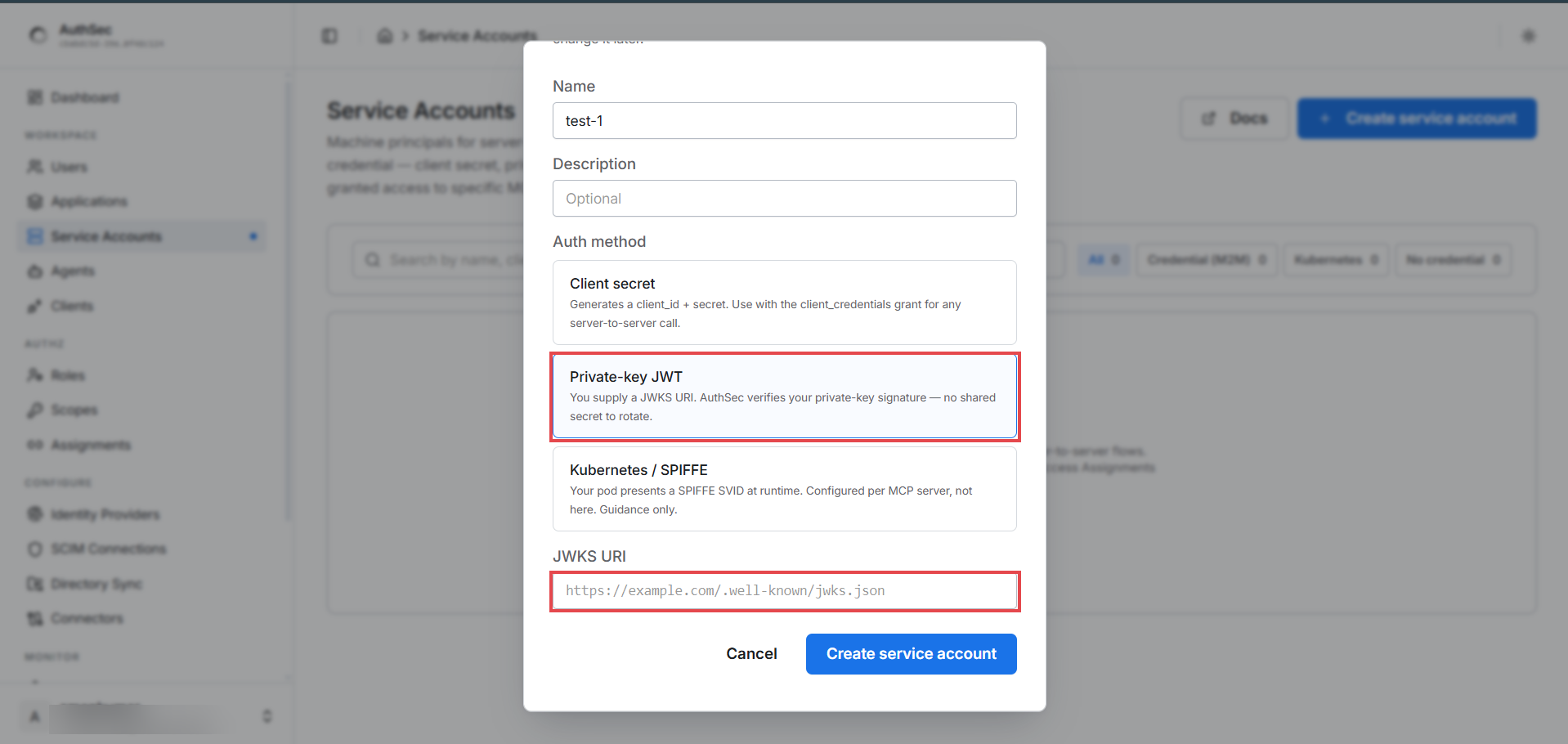
In the create dialog pick Private-key JWT — a JWKS URI field appears; paste your URL:
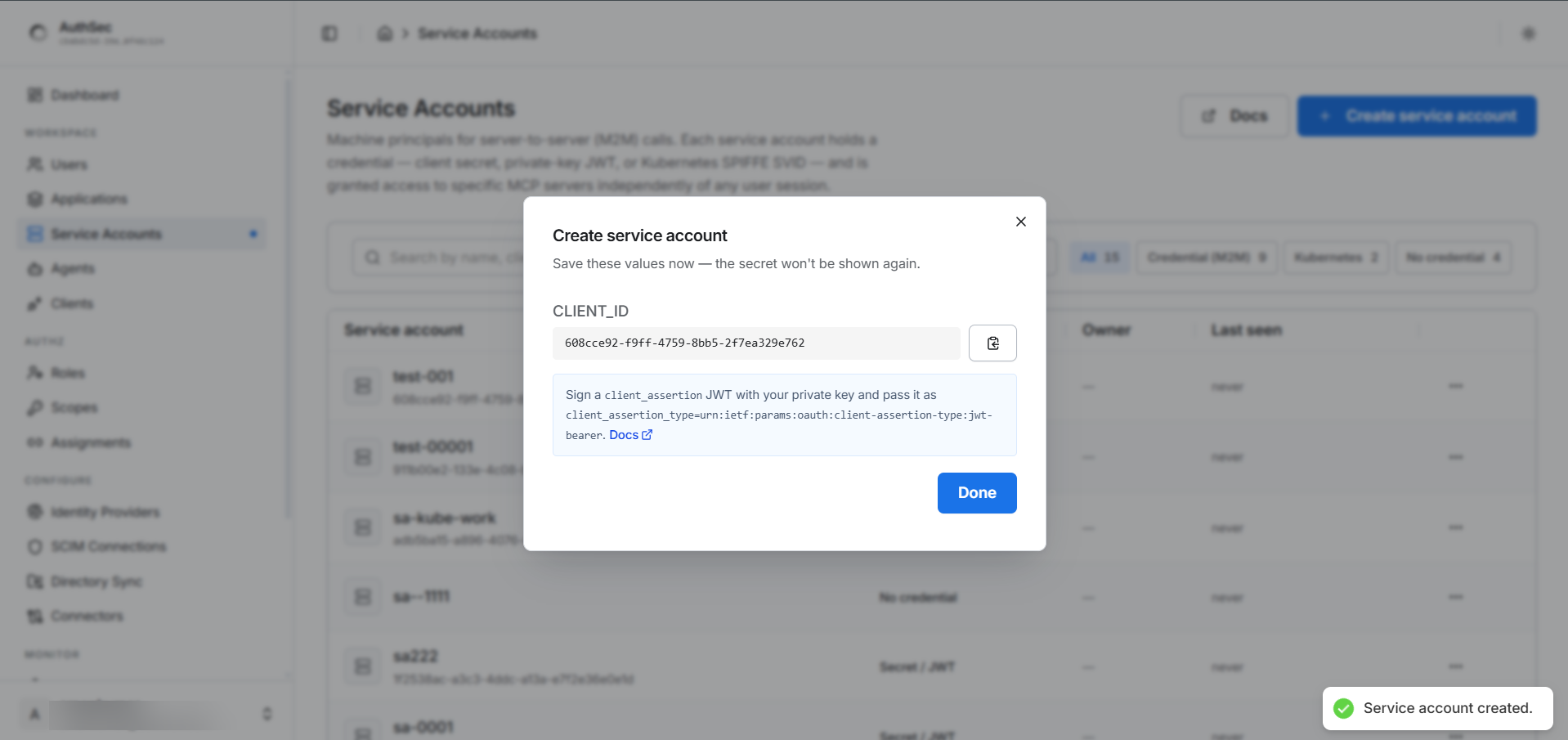
There's no secret to save this time — only the CLIENT_ID. Nothing secret
exists between you and AuthSec; your private key is the entire credential:
Step 4 — Acquire a token
After granting the service account a role:
import authsec "github.com/authsec-ai/sdk-authsec/packages/go-sdk"

// PEM file path OR PEM string, plus the kid from your hosted JWKS.
pkAuth, err := authsec.NewPrivateKeyJwtAuth("private_key.pem", "key-1")
if err != nil {
	log.Fatalf("private_key_jwt: %v", err)
}
agent := authsec.NewAgentIdentity(authsec.AgentIdentityConfig{
	Issuer: ISSUER, ClientID: PK_CLIENT_ID, Auth: pkAuth,
})
token, err := agent.AccessFor(ctx, MCP_URL, authsec.WithRequestedScopes("test_mcp:read"))
What this does, and what the SDK handles:
NewPrivateKeyJwtAuth(privateKey, kid)loads the RSA key. Its first argument accepts either PEM content (a string containing-----BEGIN) or a filesystem path — handy for reading a key from a secret manager versus a mounted file. Unlike the client-secret and SPIFFE constructors (which panic), this one returns an error — check it at startup so a bad PEM or a missingkidfails fast instead of on the first request.kidmust equal thekidin your hosted JWKS. A mismatch is the most common cause of signature-verification failures.- Each
AccessForsigns a fresh assertion — RS256, 5-minute lifetime, single-usejti, audience-bound to the discovered token endpoint. You never build, sign, or refresh the assertion; the SDK does it per request. - The private key never leaves your process and is never sent to AuthSec.
Key rotation — zero downtime
Because verification is keyed by kid, you can rotate without a flag day:
- Generate a new keypair.
- Add the new public key to your JWKS under a new
kid(e.g.key-2) — now the JWKS serves both keys. - Deploy the new private key with
NewPrivateKeyJwtAuth(..., "key-2"). - Once all instances run
key-2, remove thekey-1entry from the JWKS.
No dashboard change, no coordinated restart — AuthSec verifies against whichever
kid an assertion advertises, and both are valid during the overlap.
Shared steps: grant access · verify · troubleshooting