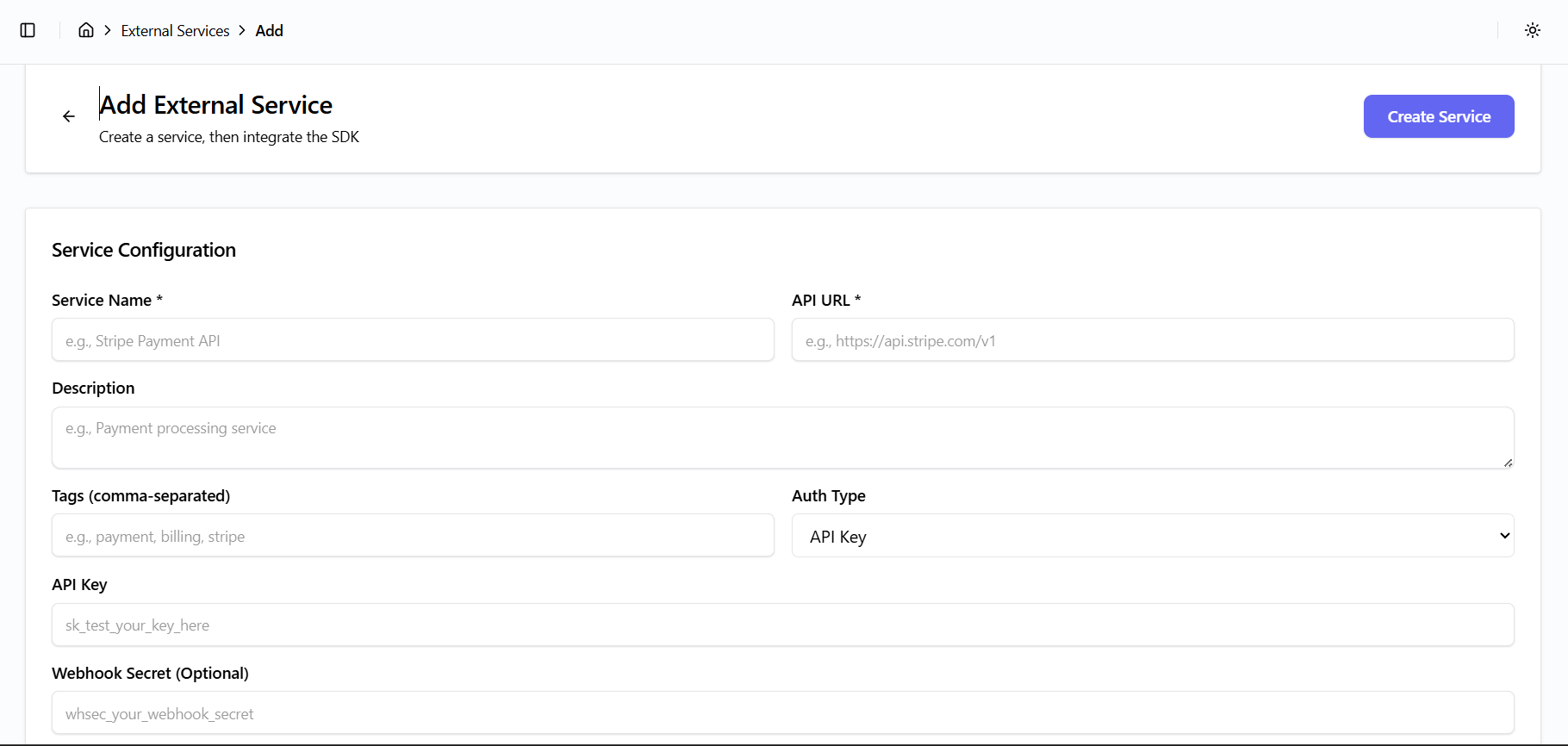
Add External Service
External services represent third-party APIs such as payment gateways, messaging platforms, or analytics services.
Integration Benefits
You can:
- Register external services
- Securely store API keys or OAuth tokens
- Integrate services using provided SDKs
Steps to Add a Service
- Navigate to External Services
- Click the "Add Service" button
- Provide service configuration details
Service Configuration Fields
- Service Name (required)
- Example:
Stripe Payment API
- Example:
- API URL (required)
- Example:
https://api.stripe.com/v1
- Example:
- Description (optional)
- Brief description of the service
- Tags (comma-separated)
- Example:
payment, billing, stripe
- Example:
- Authentication Type
- Example:
API Key
- Example:
- API Key (securely stored)
- Webhook Secret (optional)
Create Service
After filling in the required details:
- Click Create Service
- The service is registered and securely stored
- SDK integration details become available for the service